BootUp Pittsburgh
Designing Mobile / Desktop Platform to Support a Community-Centered Learning Program
BootUp is a Pittsburgh-based community education program that teaches creative technology skills through hands-on, student-driven learning. Unlike traditional classrooms, BootUp prioritizes relationships, identity formation, and engagement over rigid curriculum or assessment. As the program grew, BootUp began exploring how a digital platform could better support students and educators in staying connected and tracking work across inconsistent attendance. Through research, we learned the challenge wasn’t motivation,
it was infrastructure.
I led UX mixed-methods research and synthesis and was responsible for facilitating and translating research insights into system-level decisions. I also contributed to and worked closely with designers throughout prototyping to ensure research insights directly informed interaction and UI decisions.
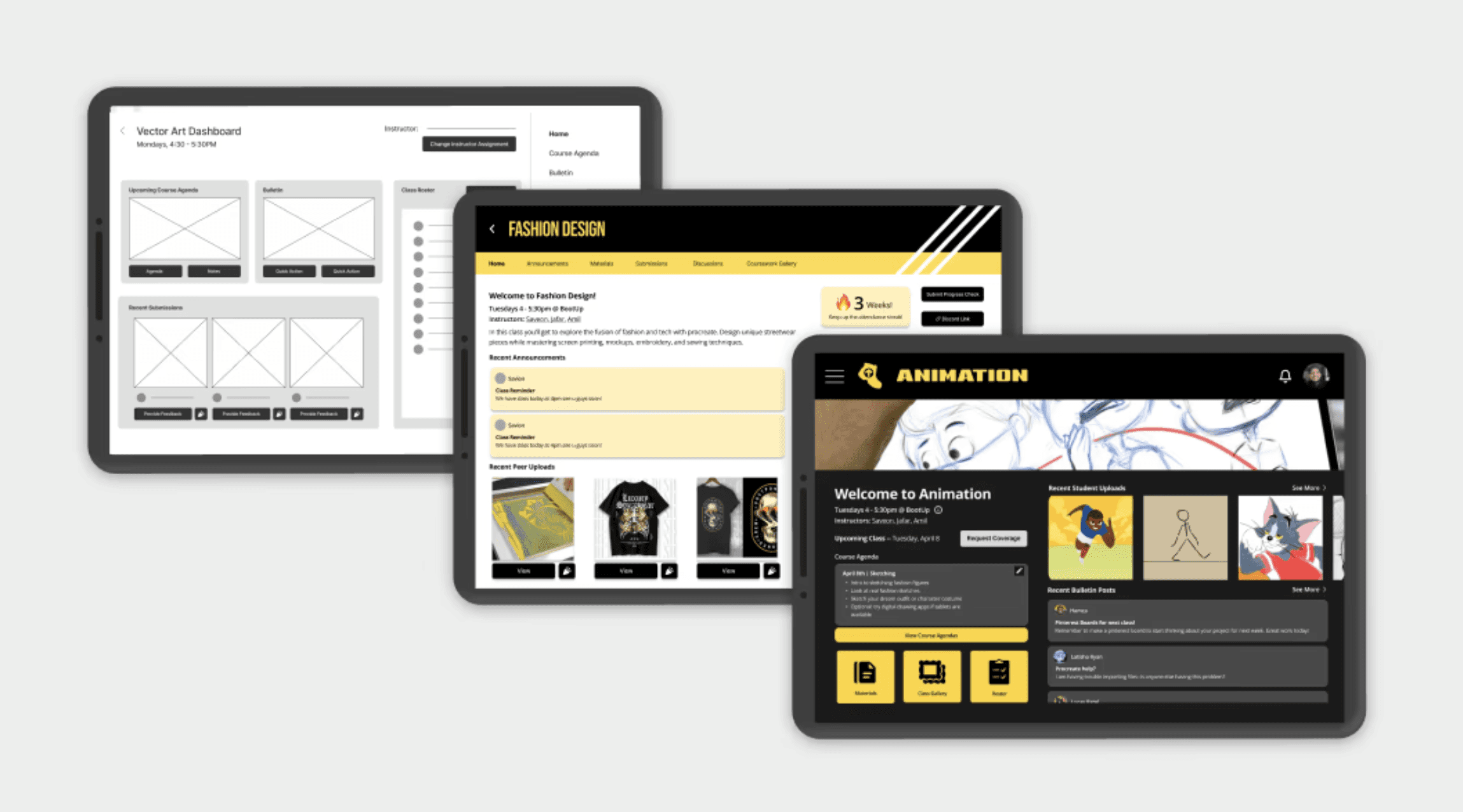
Our final solution is a digital platform that supports educators, administrators, and students in tracking progress, organizing classes, and centralizing student work as BootUp scales.
Year
Jan 2025- May 2025
Skills
Qualitative Research
Co-Creation
Observational Studies
Usability Testing
Lo & Hi-Fi Prototyping
2 Designers
1 Engineer
1 Communication
Team
UX Research Lead
Designer
Role
oVERVIEW
About BootUp
BootUp is a nonprofit organization based in Wilkensburg, Pennsylvania that empowers youth from under-resourced backgrounds through creative technology education, including AI, coding, music production, video editing, and digital design. BootUp is not a traditional classroom, and it was never meant to be.
The learning environment is deeply influenced by hip-hop culture, creativity, and self-expression. Students learn through making, collaboration, and experimentation rather than strict curriculum or assessment. Learning is meant to be fun, social, expressive, and grounded in identity.
Wilkinsburg itself shapes this environment. Many students come from homes impacted by instability, limited resources, or inconsistent support. For them, BootUp functions as a home away from home, a safe space where they are seen, supported, and encouraged to imagine futures beyond their immediate circumstances.
Educators are mentors as much as instructors. They adapt sessions in real time, support one another across classes, and prioritize relationships over documentation.
Students are welcome to take many classes, find mentorship, form friendships through creative work, and use technology not just as a skill, but as a pathway forward.
This combination of community, culture, and creative technology is what makes BootUp extremely powerful. It’s also what makes it difficult to support with conventional educational software. Any digital system introduced into this environment must strengthen that sense of belonging, without disrupting the culture that made the community thrive.
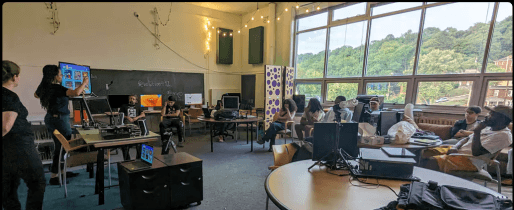
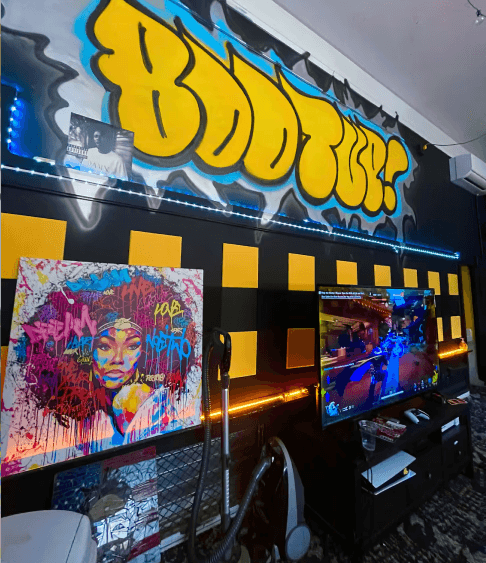
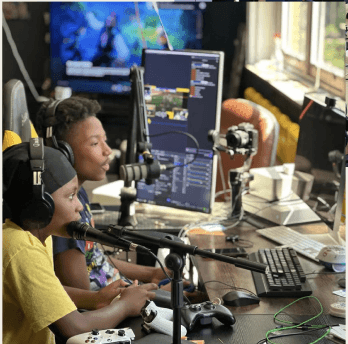
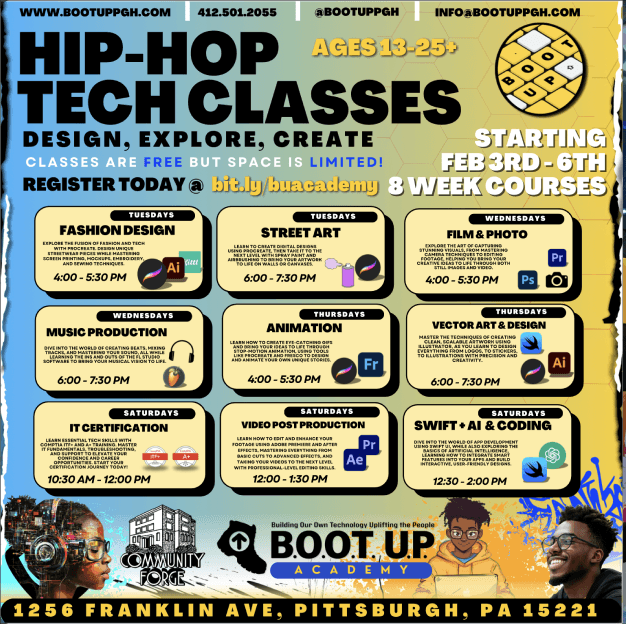
Computer Room
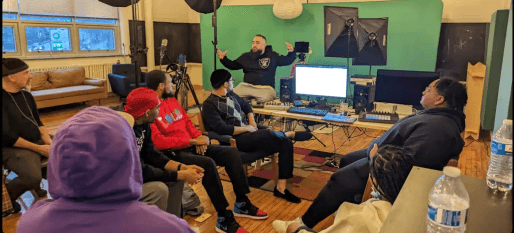
Greenscreen & Podcasting Room
List of BootUp Courses
BootUp Logo
Creative Environment
Gaming & Podcast Equipment
Overview
Initial Assumption
BootUp believed the primary challenge was maintaining student engagement over time.
The client initially envisioned a game-like, Dungeons & Dragons–inspired platform, centered around:
Skill trees
Badges
Progression mechanics
This approach aligned with common patterns in educational technology and with BootUp’s goal of helping students stay engaged outside of class.
Although this framing made sense, it assumed that students needed additional motivation to participate.
Overview
What Research Revealed
Through classroom observations, student and educator interviews, group discussions, think-aloud protocols, and secondary research, our team realized that BootUp students were already motivated.
Students
are highly engaged, self-motivated, & creatively invested
expressed that they wanted to be at BootUp
came to hone skills, explore interests, & meet new friends
Educators / Administrators
highly prioritized student relationships & creative growth
emphasized flexibility & responsiveness to student needs
results in deprioritizing of attendance tracking
INSIGHT #1
Educators / Administrators priority is on:
Real-time learning experiences for students
Fostering relationships & mentorship
Need a light-weight, non-intrusive way to track:
Student progress
Attendance
Specifically for program improvement & funding purposes
INSIGHT #2
At BootUp, Educators / Administrators foster a social environment where work is shared, identities are built through creative exploration, and learning is personalized.
INSIGHT #3
Students are already motivated
Educators prioritize relationships over structure
Motivation is not the issue,
internal infrastructure was.
Educators focus on student relationships
Students progress must be tracked
Educators prioritize engagement
over documentation, but
data still matters.
Students thrive in social & flexible environments
Community, collaboration, &
personal ownership drive
continued growth & success.
Overview
Solution at a Glance
Rather than building a gamified engagement platform, we focused on infrastructure that streamlines and supports what already works at BootUp, and help educators / administrators to focus on the students.
Visual, low-text ways to:
Stay connected asynchronously
Explore peer work
Build relationships
Features that highlight peer creativity and community
Symbol-based and game-like elements designed for accessibility, not motivation
Separate system experience from students
Tools for:
Instructor coordination and substitution
Communication and announcements
Resource sharing and continuity
Students Experience
Educator Experience
Student Hi-Fi Figma Prototype & Workflow
Educator Hi-Fi Figma Prototype & Workflow
Overview
Reframed Problem
Research and synthesis led us to a strong reframing that shaped every system decision that followed.
How might we…
enable educator coordination, continuity, progress tracking, and visibility across a growing, community-driven learning environment with varied attendance and student literacy levels,
while maintaining BootUp’s culture?
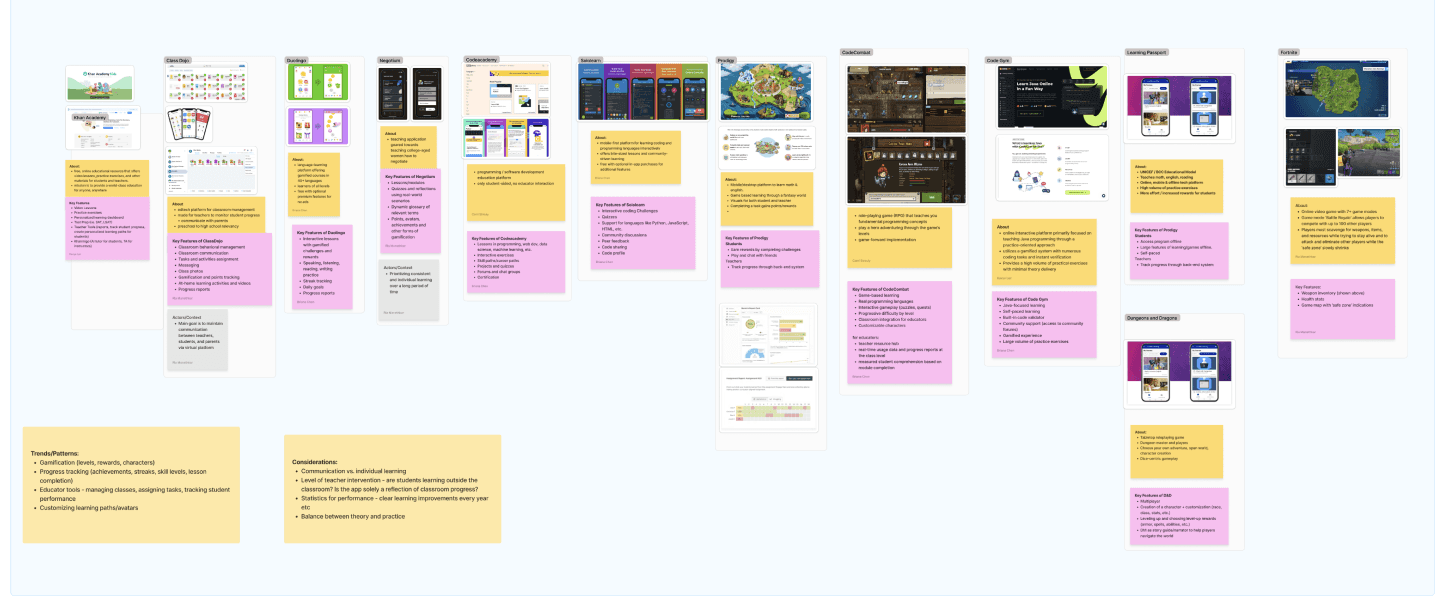
Our team conducted competitive analysis of 12 digital educational platforms & gamified experiences to better understand the elements that drive sustained engagement and flexible learning. In response to BootUp's request for a more plaful solution, we reviewed both traditional educational tools and nontraditional examples like Fortnite and Dungeons & Dragons.
We identified effective strategies of gamification such as:
Competitive Analysis
Research
Enable Personalization
Integrate Gamified Elements
Balance Classroom & Indep. Learning
Foster Engagement through Storytelling & Collaboration
Offer Clear Progress Tracking
Overview
About BootUp
Initial Challenge
Research Synthesis
Reframed Challenge
How Might We
Solution
Written feedback alone would not be as accessible
Text-first dashboards would create barriers
Overview
Pivotal Research Insight
During a paper-prototype think-aloud session, one of the 3rd-grade students I interviewed struggled to read our lo-fi wireframes. This moment revealed a critical insight:
Further qualitative research we conducted at BootUp showed this was not an isolated case. Many students had difficulty reading, which led to several realizations:
This insight led us to design 2 separate systems to account for the needs and motivations of:
Educators and Administrators
Text-rich system for attendance tracking, internal organization, and creative output tracking.
Students
Visual, symbol-driven system with game-like elements to support accessibility and expression.
Visual and symbolic interactions were necessary
Text-heavy dashboards exclude many students
To familiarize our team with best practices in designing educational technology that effectively supports young students & educators, we conducted a targeted literature review focused on how to foster student engagement, encourage self-motivated learning, and strengthen project-based education.
Reviewing 17 peer-reviewed articles, we identified five key drivers of strong educational management systems that guided how our team implemented BootUp's final system design:
Literature Review
Research
Promoting Autonomy
Providing Meaningful Feedback
Encourage Curiosity & Exploration
Fostering Social Interaction
Create Opportunities for Authentic Engagement
Research
Research Approach
Before designing anything, our goal was to understand how learning actually functions at BootUp, rather than imposing assumptions from traditional educational platforms. Our team conducted a multi-method research study and selected methods that allowed us to explore the BootUp experience from various perspectives.
Importantly, we entered research knowing that attendance was inconsistent and educator time with students was limited to class time (45 min), which required flexibility and adaptability in how our team conducted research.
What truly drives student engagement at BootUp?
Why do students engage with technology-focused learning?
How do educators support students & track creative progress?
Research goals to answer…
Primary users whose creative journeys, confidence, and voices must remain at the heart of the design.
Facilitators who not only teach, but adapt and scaffold learning in real-time, often with limited tools for tracking student progress.
Overview
Clients & Stakeholders
Within BootUp, our primary client is the internal development team working on the initial app prototype. Beyond BootUp, we also recognize the role of Community Forge as a key stakeholder, the parent organization invested in expanding BootUp's success and fostering digital equity across Wilkinsburg.
Decision-makers at BootUp & Community Forge who ensure sustainability, growth,
and coordinate program funding.
OST Partners and organizations that provide financial and technical support for
BootUp's growth.
Students
Educators
Administrators
External Partners / Funders
Class Observations
Research
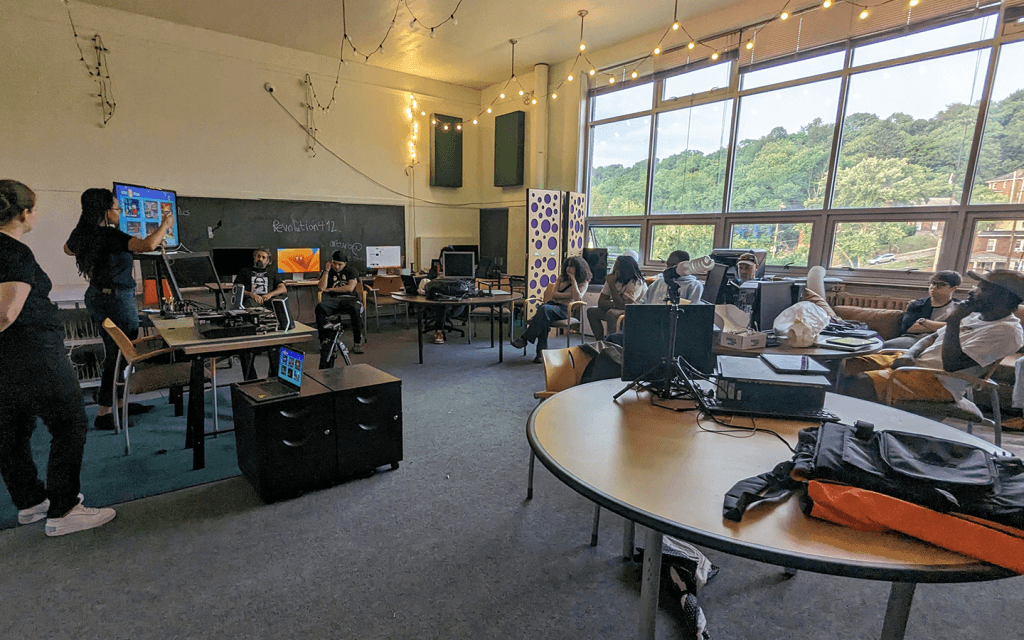
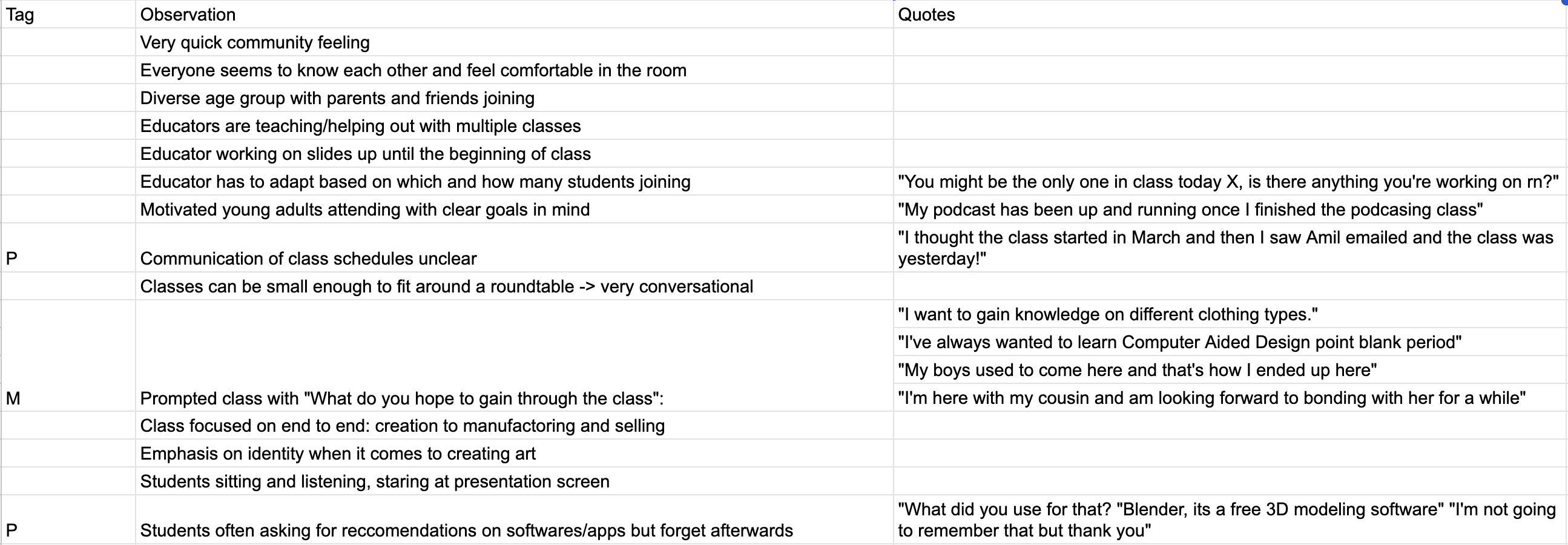
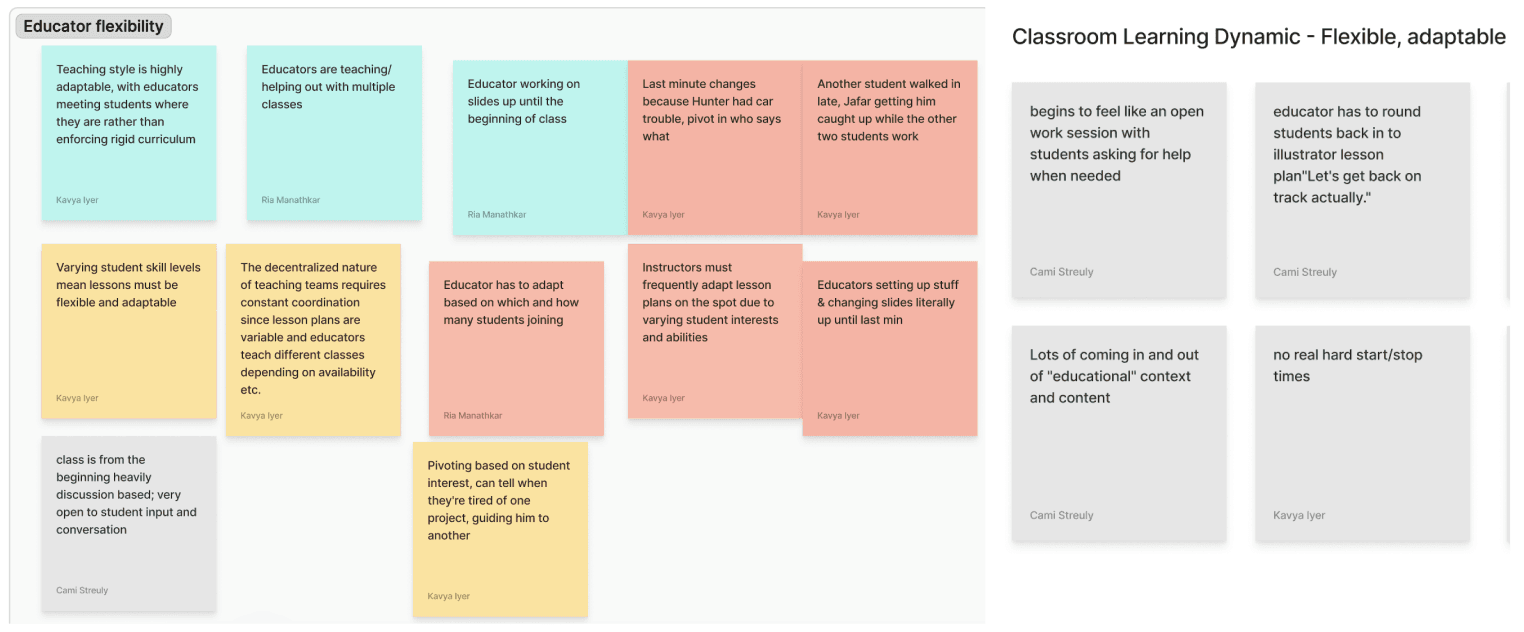
To better understand BootUp's learning dynamics, we observed four Academy classes: Fashion Design, Animation, Music Production, and Vector Art Design. Observing students and educators in their environments allowed us to see firsthand how students engaged with digital tools, collaborated with peers. It also showed how educators facilitated learning, prioritized work time over formal attendance-taking, tracked progress, and adapted instruction based on student needs.
BootUp Academy Class at Community Forge
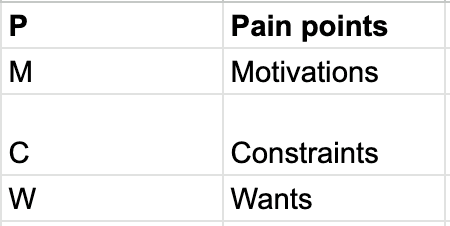
Class Observations Notes from Fashion Design Class
Class Observations —> Affinity Diagramming
Research
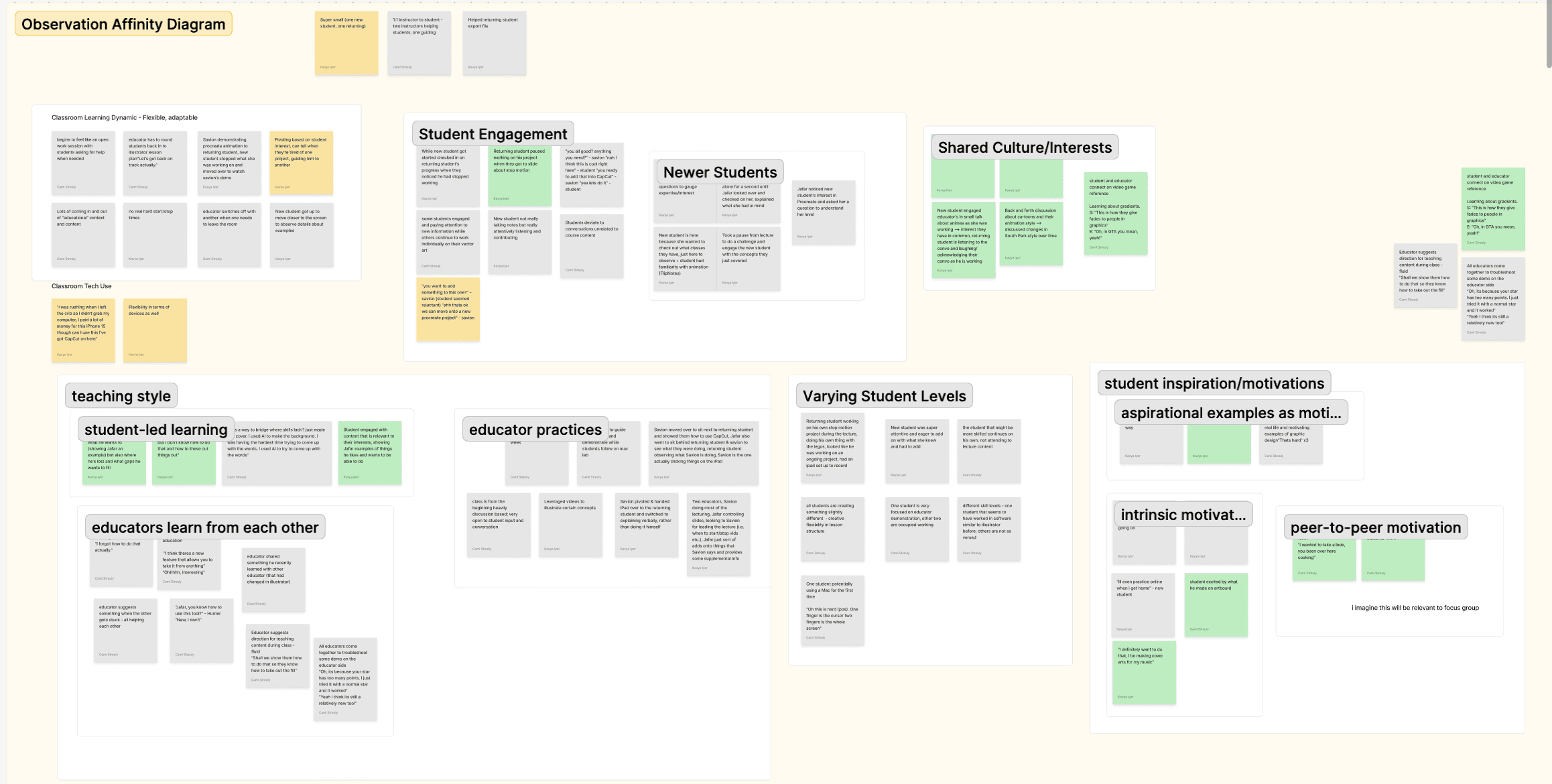
After our class observations, our team set out to organically grouping insights, otherwise known as affinity diagramming, revealed consistent patterns across the classes that aligned with insights extracted from our literature review and competitive analysis:
Affinity diagramming of Classroom Observations
Students were naturally engaged, driven by personal interest and passion in the subject matter.
INSIGHTS FOR GROUP #1
INSIGHTS FOR GROUP #2
Classes often functioned as guided work sessions, with students progressing at their own pace, while educators adapting to help those in need.
Students and educators were constantly sharing technology tips and strategies, which ultimately contributed to BootUp’s warm, comfortable, collaborative learning environment.
Educators frequently improvised and tailored lesson plans based on evolving student needs and interests.
Educators also spent time adapting to individualized help and encouraging students to explore a different aspect of the tool being used.
Since Educators are prioritizing student engagement and learning, necessary documentation, such as taking attendance or saving works in progress, tends to be forgotten.
Student Engagement
Educators tracking &
support of progress
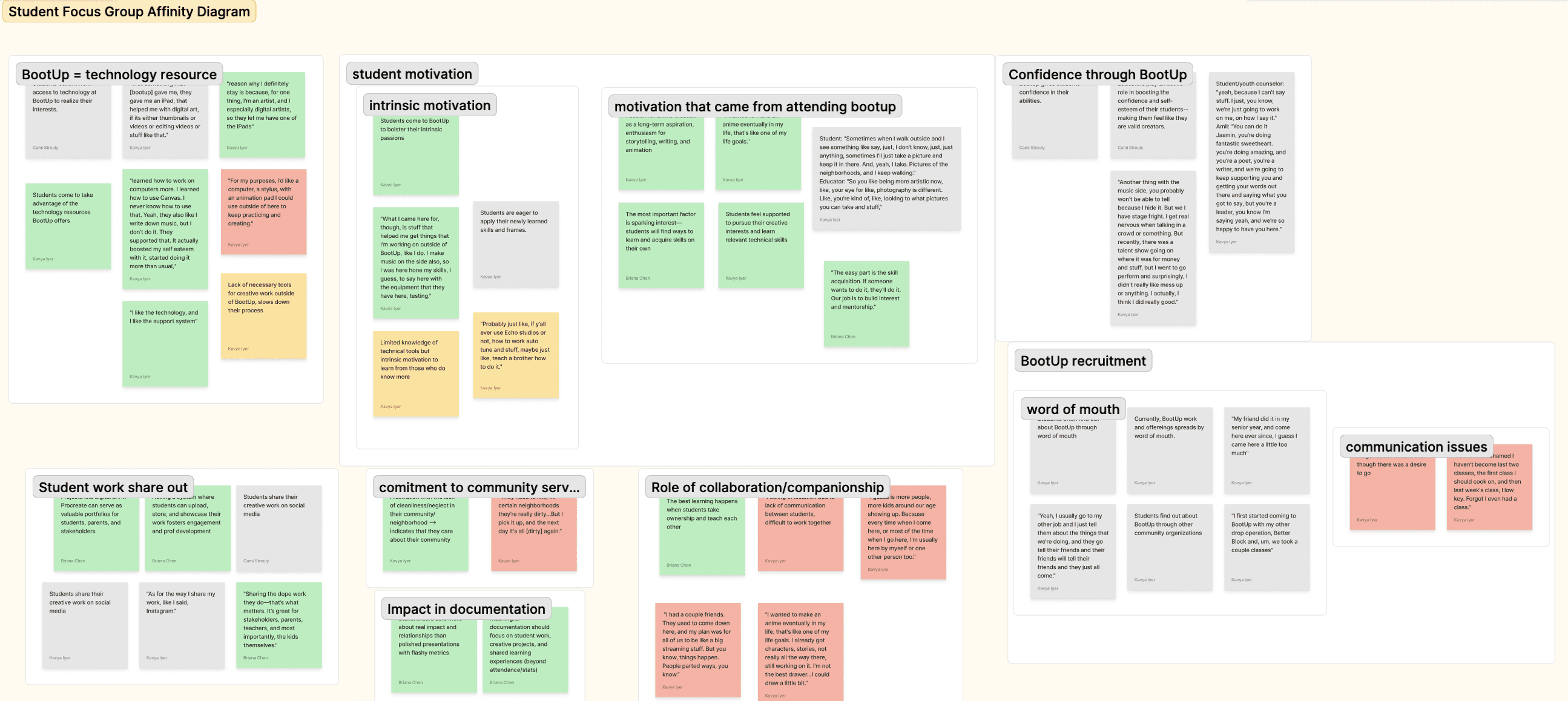
Student Focus Groups & 1-1 Interviews—> Affinity Diagramming
Research
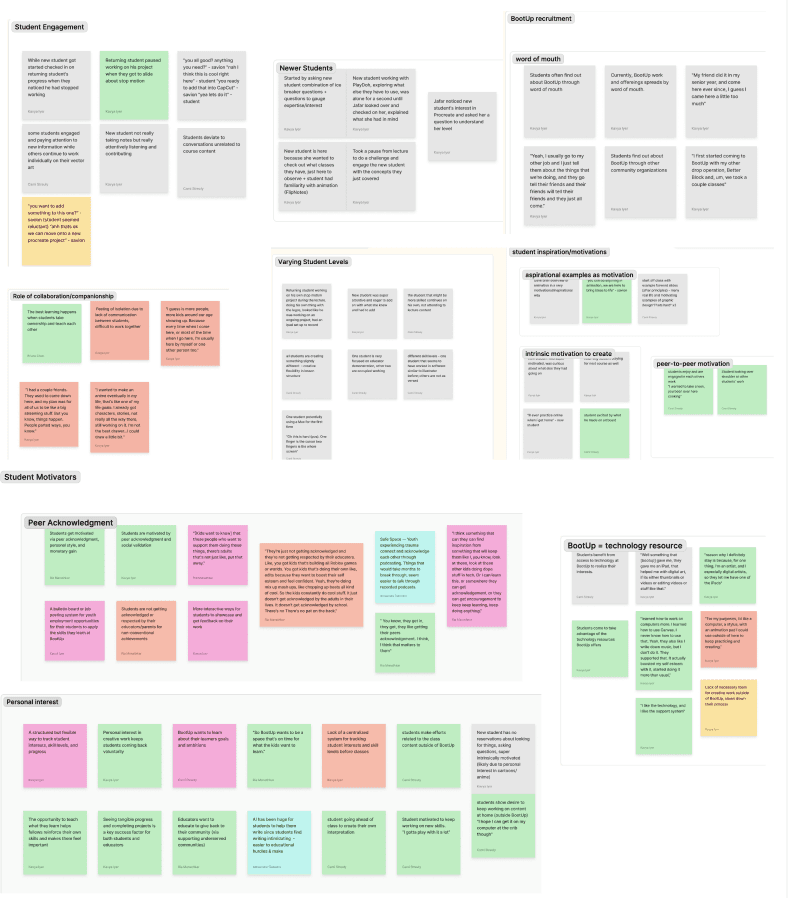
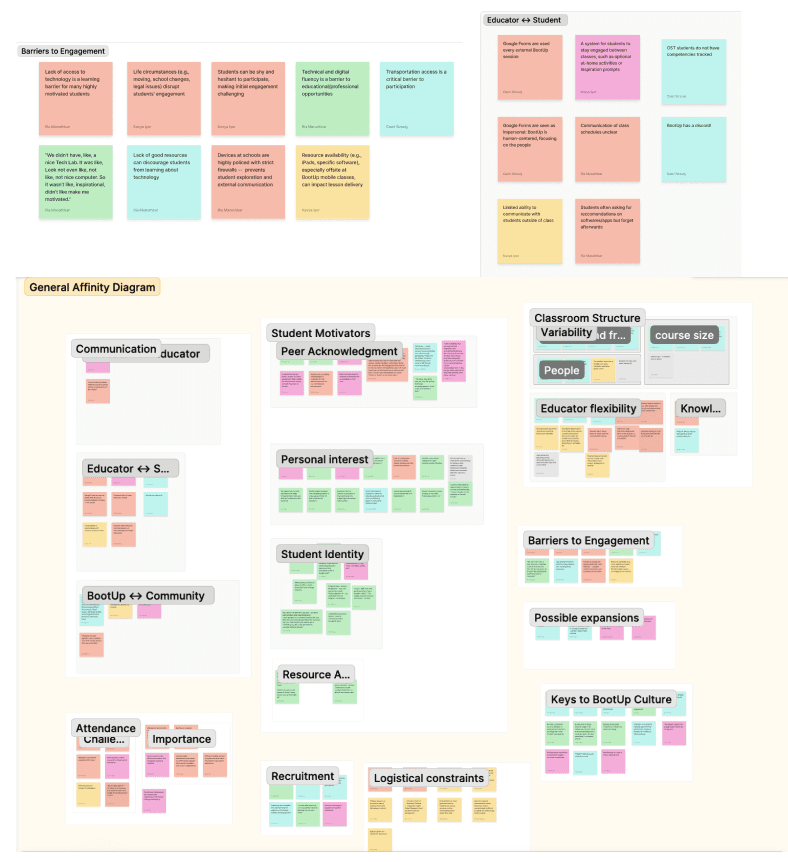
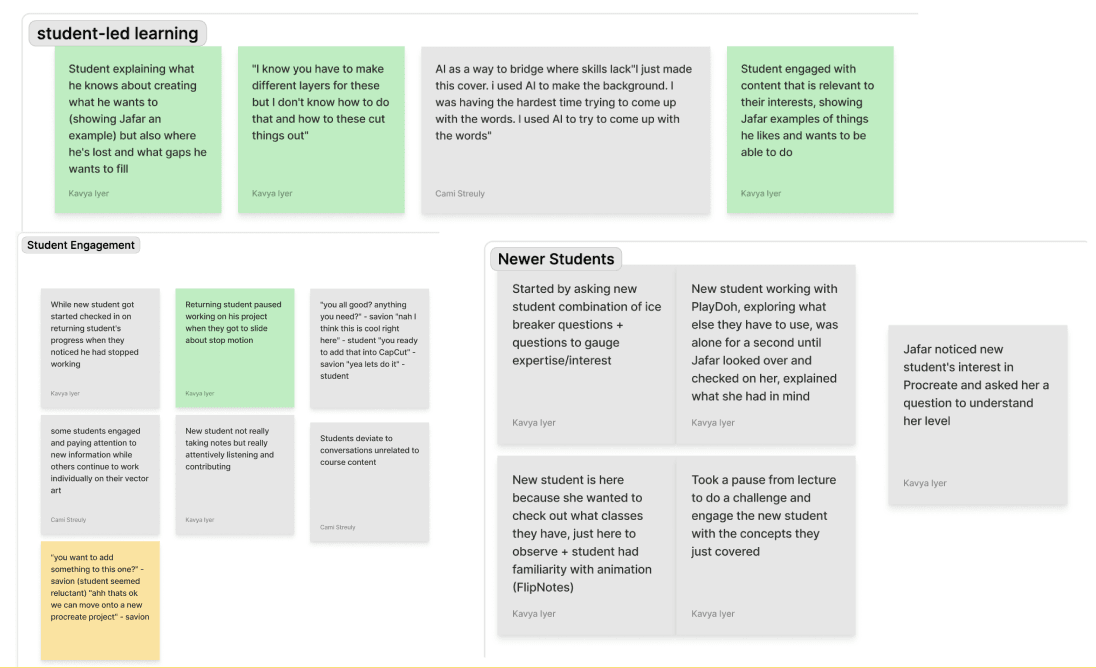
To deepen our understanding of student motivation and engagement, we conducted four guerrilla-style interviews and small focus group discussions during BootUp open hours, adapting to unpredictable student attendance and limited student availability.
Guided by themes from our literature review and competitive analysis, our team wanted to better understand how students learn, collaborate, and stay motivated inside and outside of BootUp.
Our targeted interviews illuminated that motivation was not the core issue, as the client initially suggested; rather, the infrastructure needed redesigning to better empower students to document progress and sustain both BootUp and the students' rapid growth.
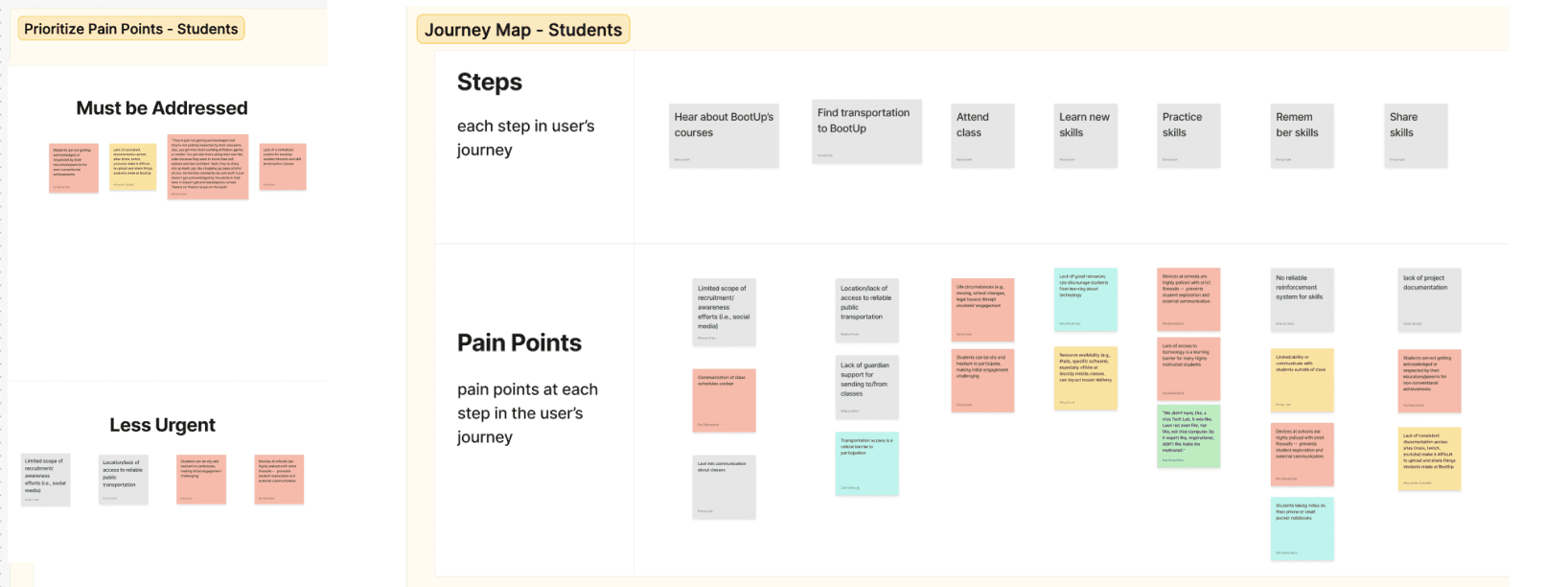
Journey Map & Pain Points
Affinity Diagramming (Patterns of Similar Insight)
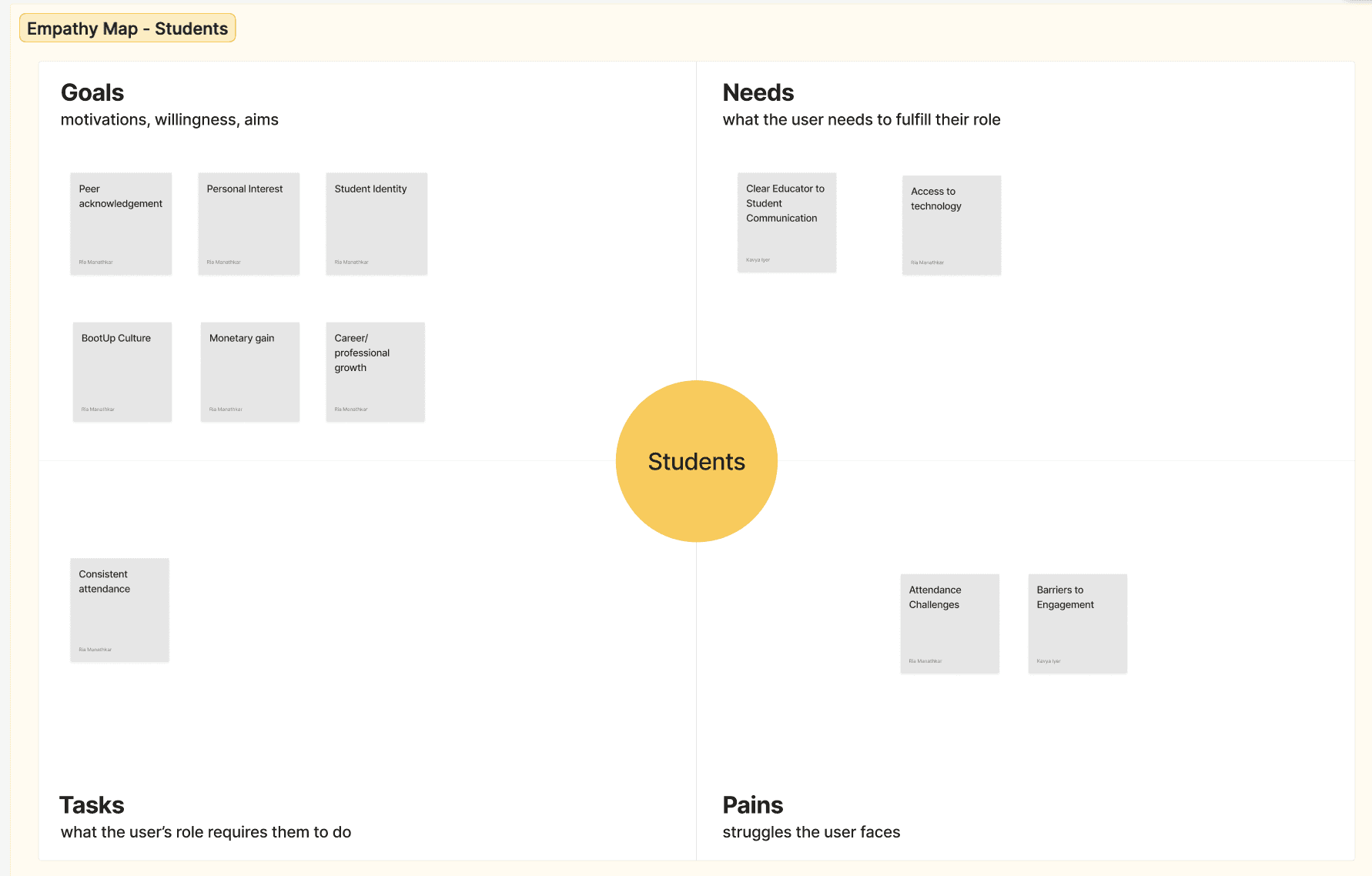
Empathy Maps
Students already arrived highly motivated but lacked tools and community connection to track, share, and celebrate their progress.
EMERGED INSIGHTS
Recognition and validation from peers and educators were critical motivators towards engagement and assignment success.
Limited visibility into peer work restricted potential roads of collaboration and inspiration.
Students want and need greater access to creative materials and projects outside of BootUp’s classroom.
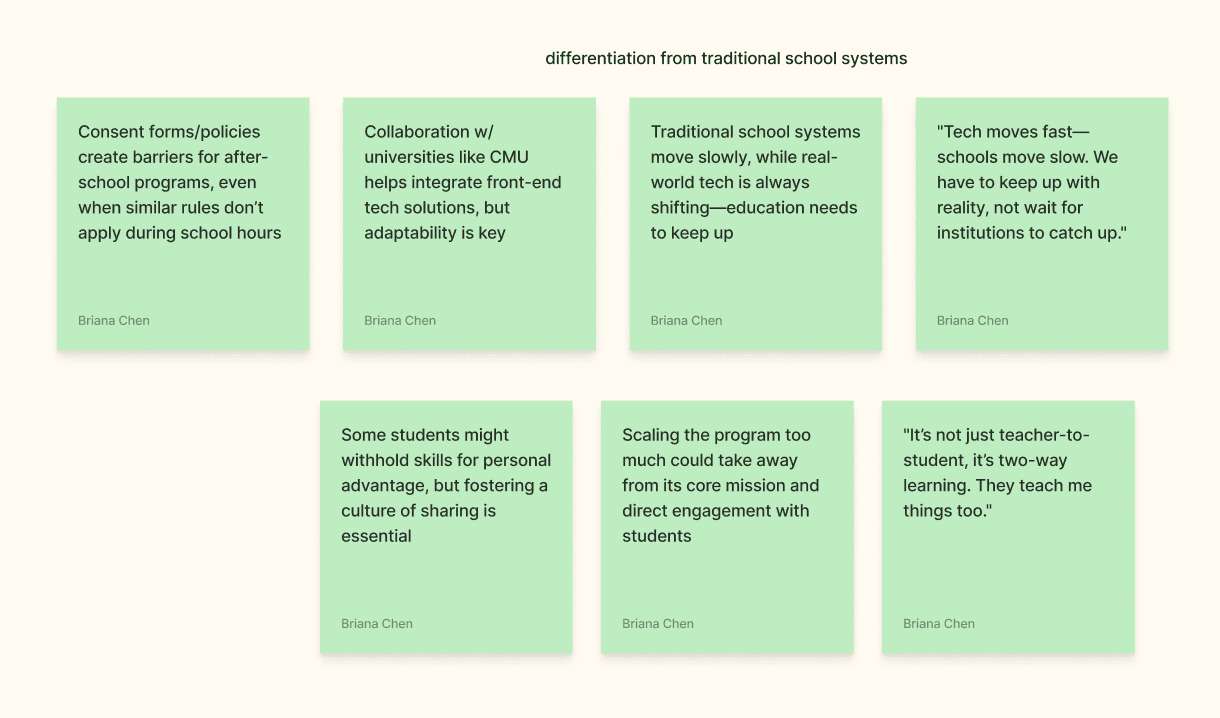
Thematic Patterns
Guerilla Style Interviews & Educator Focus Groups —> Affinity Diagramming
Research
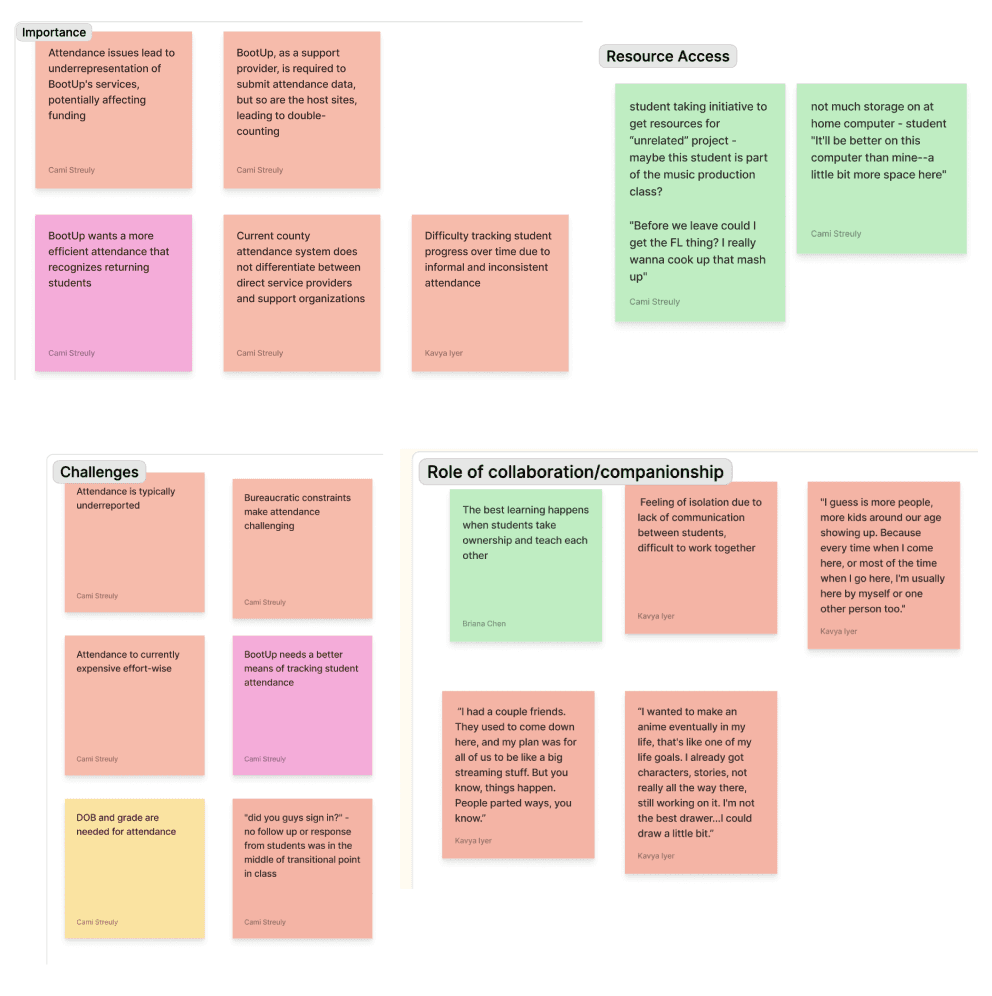
Since much of our early research centered on how students engaged with and were motivated by digital platforms, our team wanted to directly explore educator challenges, motivations, and needs. We conducted six informal, guerrilla-style interviews and small focus group discussions with BootUp educators during open hours, adapting to unpredictable attendance and limited availability.
We approached this research with a key question:
THEME #1
What do educators truly need to improve their workflows, support student success, and strengthen the program they know best?
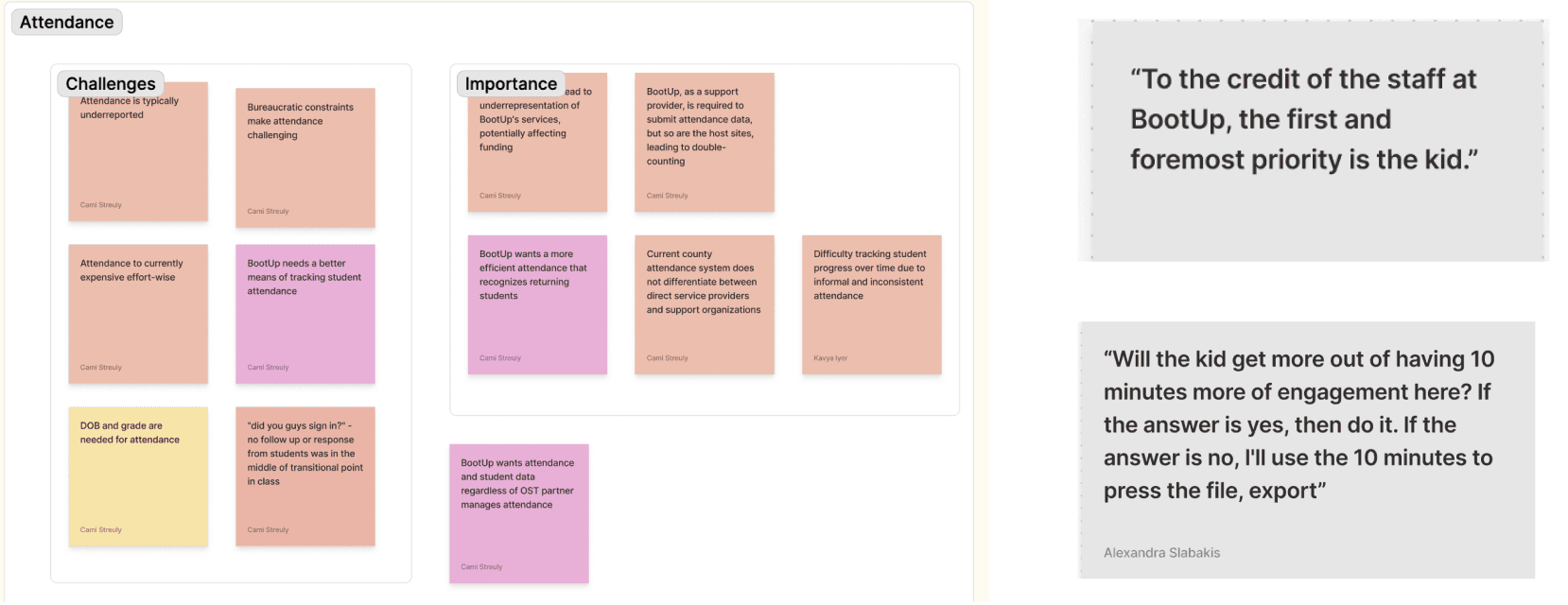
"To the credit of the staff, the first and foremost priority is the kid”
- Administrator
“Will the kid get more out of having 10 minutes more of engagement [during class]? If the answer is yes, then do it.” - Educator
Educators focus on making sure students are engaged and truly learning, rather than spending time on tasks like exporting work or taking attendance. While statistics and documentation matter, they’ll always prioritize 10 minutes of learning over 10 minutes of paperwork.
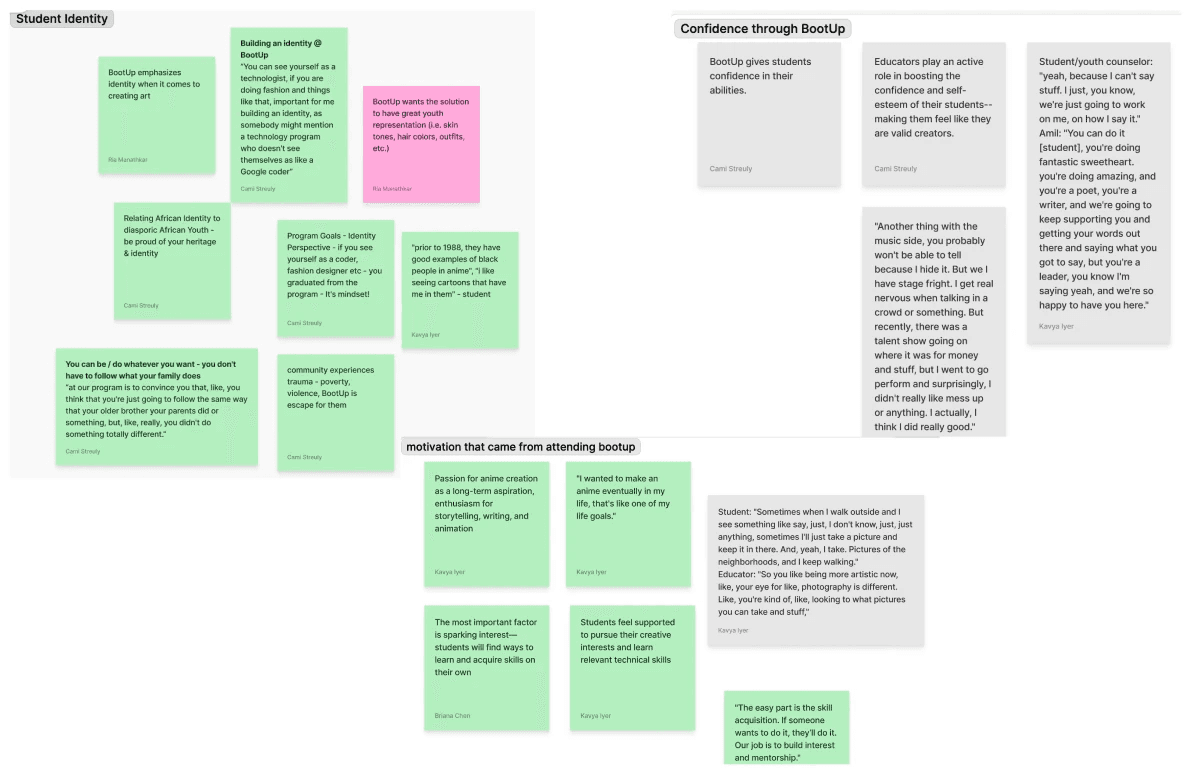
BootUp gives students tools like ChatGPT to help them work around challenges, like struggles with writing or coding, and build confidence in their abilities. By creating games or writing scripts, students start to see that they can be or do anything they want, even if they don’t have the academic skills for it.
“Youth are pretty bad at writing and, pretty intimidated by it. ChatGPT can write... a podcast or script that they can edit”
- Administrator
"I want to make an anime eventually in my life…
that's like one of my life goals" - Student
THEME #2
They often take on multiple roles across disciplines, adjusting constantly to meet evolving student interests and learning contexts. One of the biggest challenges as an educator at BootUp is adapting to different course topics, class sizes, and student skill levels. Since educators are skilled across multiple domains, the same person might teach music production one day and graphic design the next.
Frequent informal check-ins and mentorship conversations among educators and other students are really important for maintaining sustained engagement, motivation, and community building.
“A life hack for youth experiencing trauma is a podcasting room ...They don't trust group sessions / therapy. You just put four kids in a podcast, all of a sudden they're like, I saw a dead body yesterday.” - Administrator
THEME #3
"To the credit of the staff, the first and foremost priority is the kid”
Since relationship-building remains a priority, educators need a system to help consistently track attendance and document student work. BootUp relies on this data to assess impact for additional funding, meaning underreported numbers can make BootUp’s reach seem smaller than it actually is.
“We're a small team, so we wear a lot of hats. Educator, therapist, mentor, fashion designer, music producer… we have to show the kids they can do anything." - Educator
Environmental Insights
BootUp prioritizes relationships and engagement over documentation and data.
Educators empower students to forge their own identities through technology.
Educator Insights
Educators adapt quickly to changing environments and needs.
Ongoing communication sustains student engagement.
Systematic Insights
Tracking student progress is vital for program funding and growth.
SYNTHESIS
Developing Our Problem Statement
Synthesis began by consolidating findings across students, educators, and administrators.
Research revealed a critical distinction:
Student motivation was not BootUp’s challenge, the primary challenge existed on the organizational and educator side.
Educators lacked tools to manage classes, share context, and support students consistently as attendance and class composition varied.
At the same time, it was clear that any solution needed to preserve what made BootUp effective in the first place: its community-centered culture. Peer recognition, social interaction, and validation were not add-ons, they were central to student engagement and confidence-building.
This led us to focus less on motivation mechanics and more on infrastructure that supports coordination, continuity, and visibility.
SYNTHESIS
Translating Insights into Design Opportunities
To move from research to ideation, each team member generated a broad set of How Might We (HMW) questions grounded in our research insights. These questions were used not as final prompts, but as a way to surface the full design space before narrowing.
From this process, four key opportunity areas emerged that became areas of opportunity.
A lack of ongoing educator-student communication hinders engagement; building up confidence in students through validation is a key motivator in fostering their progress.
How might we…
encourage participation and/or recognize student work to sustain BootUp’s sense of community beyond in-person sessions?
MAIN INSIGHT #1
Educators must be highly adaptable to variable class content, size, and student skills and interests.
How might we…
design a flexible system that helps educators respond to varied classroom contexts and needs?
MAIN INSIGHT #2
BootUp prioritizes relationships and engagement over documentation and data; however, tracking student data is key to funding and growth.
How might we…
integrate attendance and portfolio tracking without disrupting engagement?
MAIN INSIGHT #3
Collaboration opportunities allow for larger-scale projects and student growth.
How might we…
encourage students to connect their skills across different subjects?
MAIN INSIGHT #4
How might we…
preserve BootUp’s community-centered spirit through a program management solution that fosters social interaction and peer recognition?
SYNTHESIS
How Might We's —> Key Opportunity Areas
To move from research to ideation, each team member generated a broad set of How Might We (HMW) questions grounded in our research insights. These questions were used not as final prompts, but as a way to surface the full design space before narrowing.
From this process, four key opportunity areas emerged.
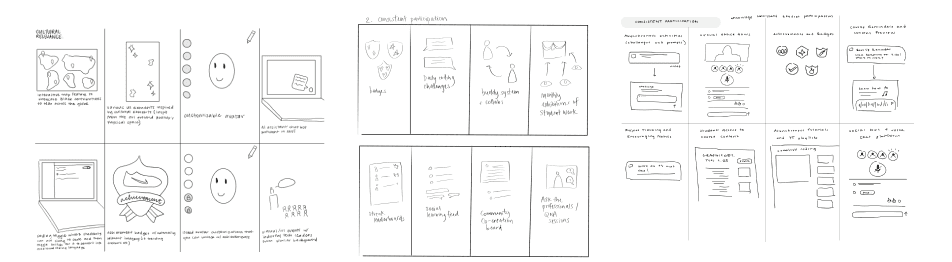
Crazy 8’s for “consistent student participation.”
Supporting Educator Flexibility
Balancing Documentation with Engagement
Encouraging Cross-Disciplinary Collaboration
Problem Statment & Summarized HMW
Sustaining Community Beyond In-Person Sessions
Synthesis
Synthesis
Ideation & Narrowing
Using these HMWs, the team moved into ideation using the Crazy 8’s method. For each HMW, team members rapidly generated ideas to explore the breadth of possible solutions before converging.
To make sense of the large volume of ideas, we grouped concepts into broader solution categories and evaluated them based on:
Alignment with BootUp’s values
Potential impact on educator and student needs
Feasibility within the project timeline
To more easily manage our concepts, we transferred our (many)
Crazy 8 concepts to individual sticky notes.
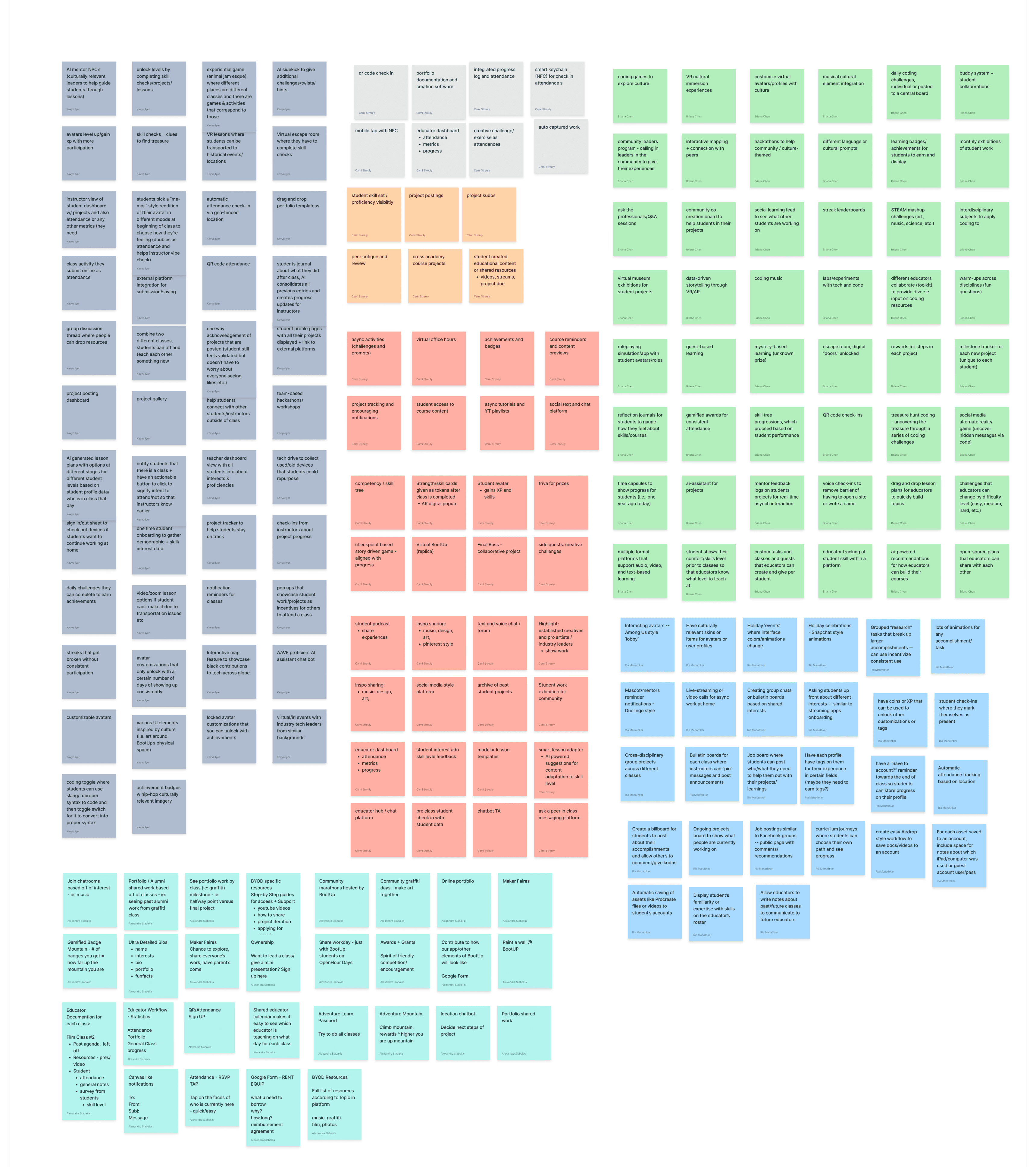
Using these HMWs, the team moved into ideation using the Crazy 8’s method. For each HMW, team members rapidly generated ideas to explore the breadth of possible solutions before converging.
To make sense of the large volume of ideas, we grouped concepts into broader solution categories and evaluated them based on:
Alignment with BootUp’s values
Potential impact on educator and student needs
Feasibility within the project timeline
Through team voting and discussion, ideas were consolidated into three primary solution categories.
Synthesis
Concept Grouping & Feature Prioritization —> Thematic Mapping
To better understand the connective filament through our concepts, we conducted a thematic mapping.
These broader solution categories helped us consolidate potential feature directions into a more manageable scope. Through a team voting process based on solution relevance and potential impact, we prioritized a handful of solution types that fell into the following three categories:
Thematic Mapping
Asynchronous messaging and discussions
Bulletin boards and pinned announcements
Resource and help-sharing spaces
Educator-only communication hubs
Student portfolios and work sharing
Peer-to-peer collaboration and visibility
Project submissions and progress tracking
Lightweight acknowledgment & validation systems
Archives of past student projects for inspiration
High-level dashboards for student engagement
Attendance and participation tracking
Calendars and scheduling tools
Student skill and interest visibility
Flexible lesson planning and adaptability tools
Taking the overarching categories from this mapping, we voted on solution types to prioritize based on relevance and feasiblity.
Prioritizing Solution Features
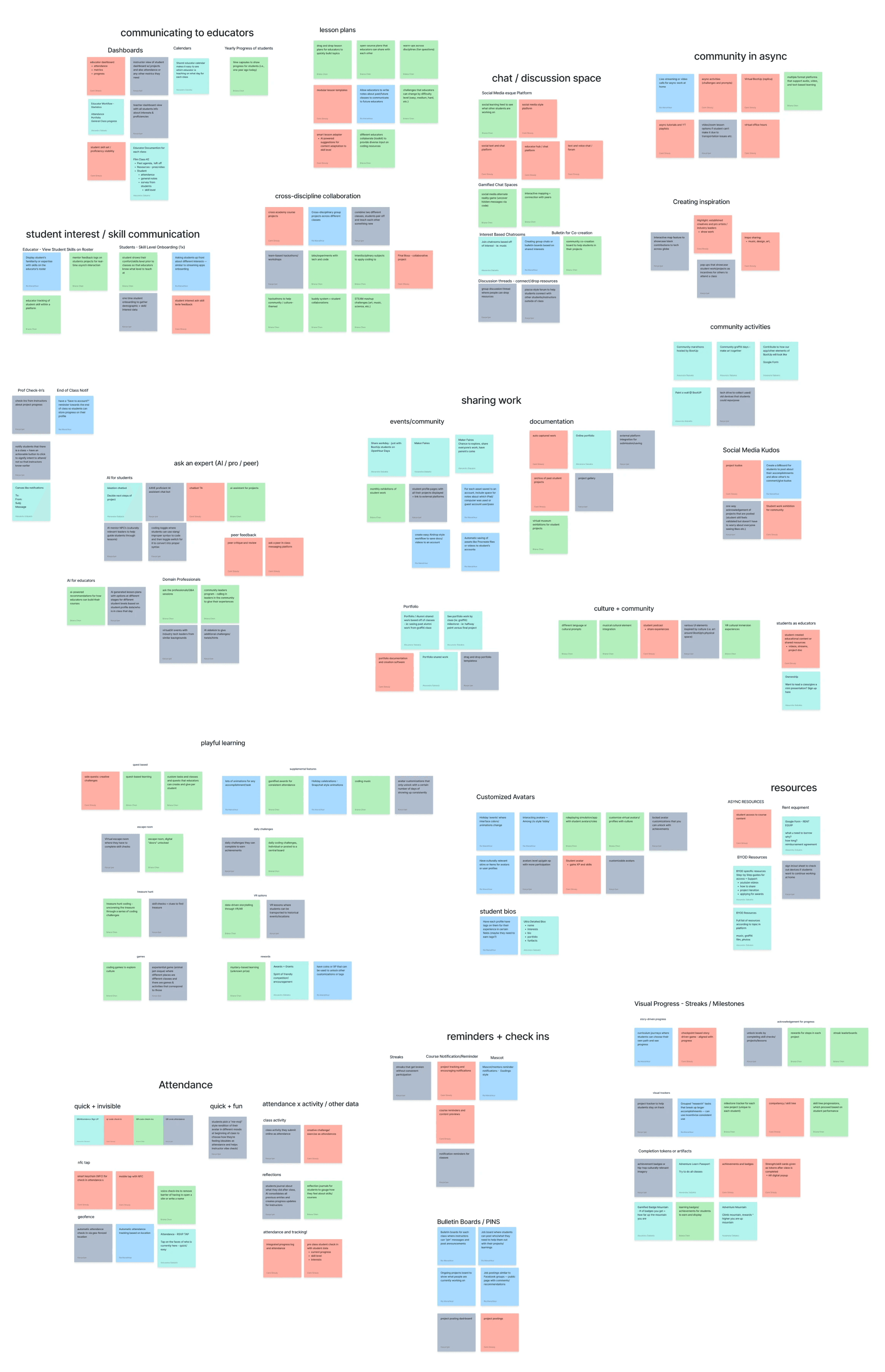
Using these HMWs, the team moved into ideation using the Crazy 8’s method. For each HMW, team members rapidly generated ideas to explore the breadth of possible solutions before converging.
To make sense of the large volume of ideas, we grouped concepts into broader solution categories and evaluated them based on:
Alignment with BootUp’s values
Potential impact on educator and student needs
Feasibility within the project timeline
Through team voting and discussion, ideas were consolidated into three primary solution categories.
Open Remote Communication
Focused on enabling seamless interaction across students and educators.
Focused on making student work visible, accessible, and celebrated.
Focused on reducing friction for educators while improving visibility.
Work Documentation & Distribution
Educator Program Management Tools
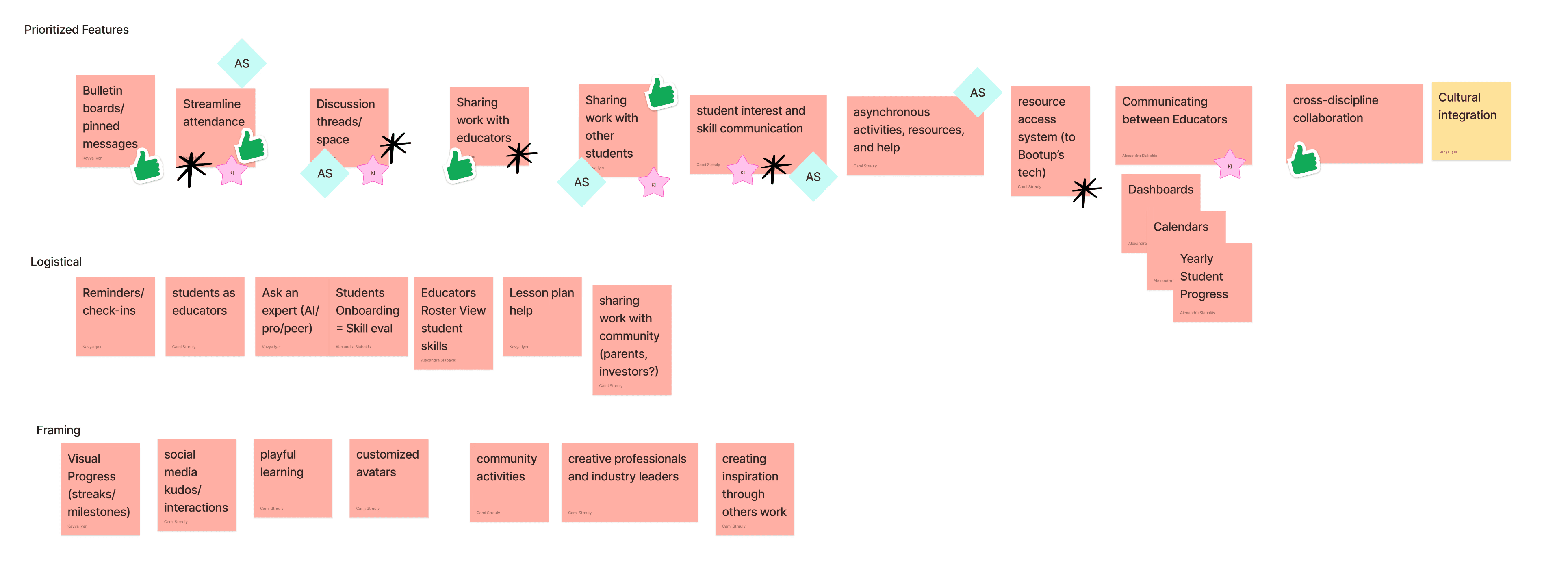
Using these HMWs, the team moved into ideation using the Crazy 8’s method. For each HMW, team members rapidly generated ideas to explore the breadth of possible solutions before converging.
To make sense of the large volume of ideas, we grouped concepts into broader solution categories and evaluated them based on:
Alignment with BootUp’s values
Potential impact on educator and student needs
Feasibility within the project timeline
Through team voting and discussion, ideas were consolidated into three primary solution categories.
Synthesis
Concept Testing & Selection
We verbally concept-tested these solution categories with our client to assess alignment and feasibility.
The response was overwhelmingly positive, and two concepts were consistently highlighted as particularly valuable:
One-way acknowledgment systems that validate student work without creating social pressure
Educator dashboards that provide high-level visibility into student engagement and progress
Following this session, we evaluated concepts based on client feedback, feasibility, and alignment with our research insights. A subset of features was selected for lo-fi prototyping:
Open Course Agenda
Student RSVP & Attendance Tracking
Open Student Portfolios
Student Skill-Level Visibility
Class Material Sharing
Badges & Rewards
Bulletin & Discussion Boards
Asynchronous Activities
Student Submissions
Kudos & Work Recognition
Prioritized Features for Prototyping
Synthesis
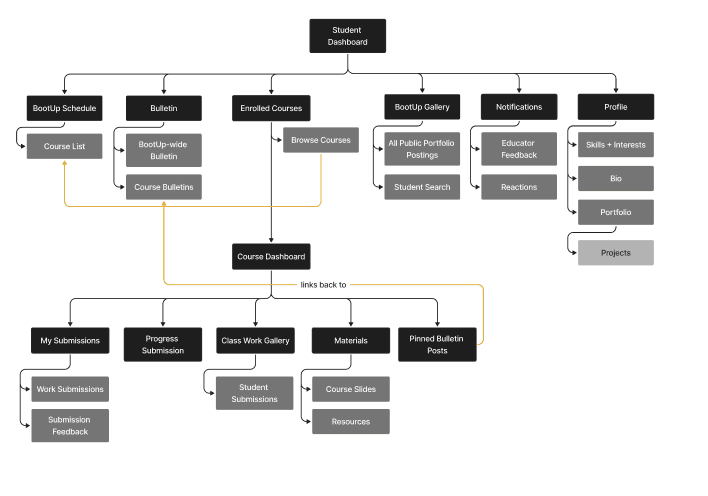
Information Architecture
With the prioritized features, our team outlined workflows to guide our future system design.
Educator / Administrator Workflow
Student Workflow
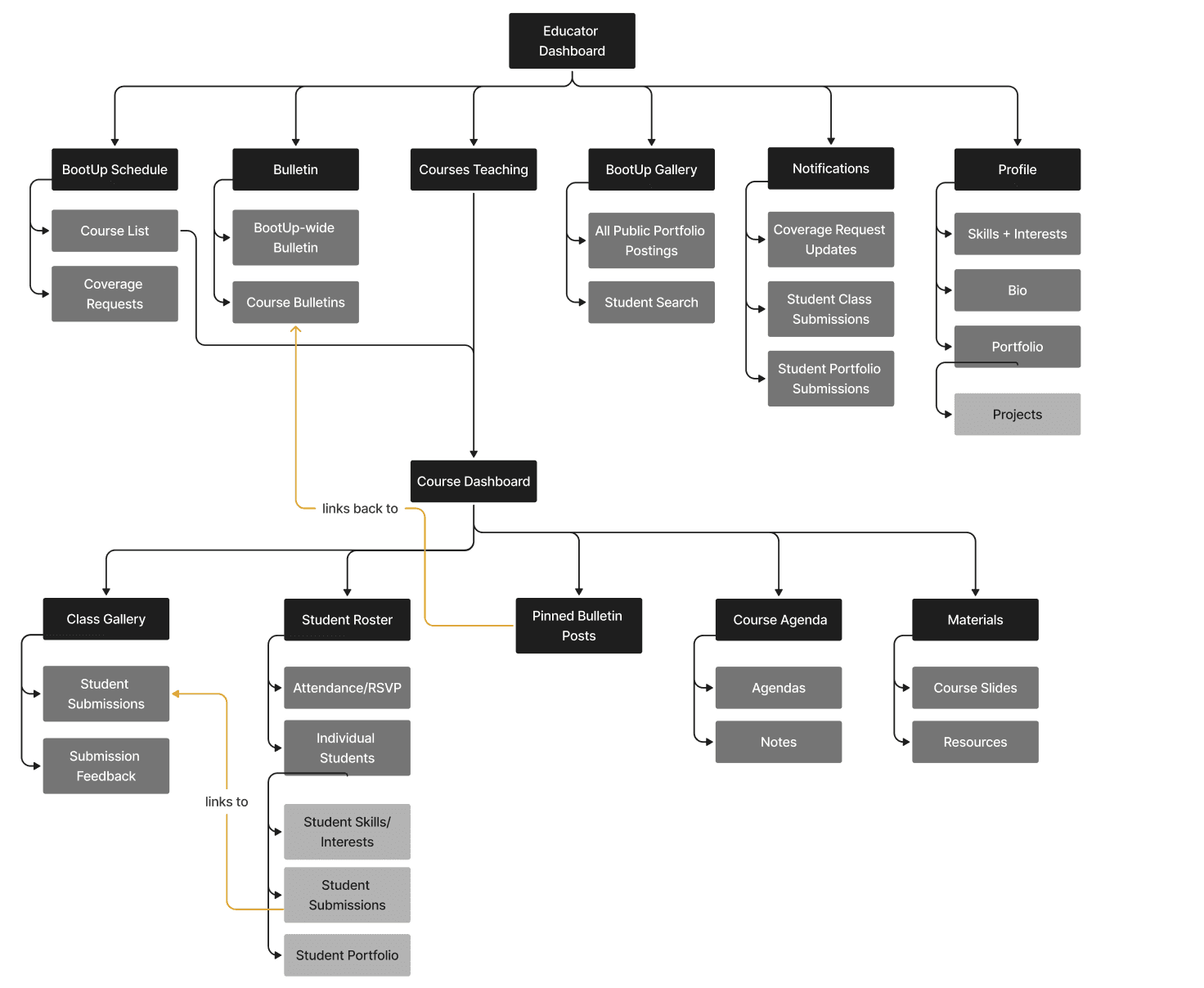
Using these HMWs, the team moved into ideation using the Crazy 8’s method. For each HMW, team members rapidly generated ideas to explore the breadth of possible solutions before converging.
To make sense of the large volume of ideas, we grouped concepts into broader solution categories and evaluated them based on:
Alignment with BootUp’s values
Potential impact on educator and student needs
Feasibility within the project timeline
Through team voting and discussion, ideas were consolidated into three primary solution categories.
Using these HMWs, the team moved into ideation using the Crazy 8’s method. For each HMW, team members rapidly generated ideas to explore the breadth of possible solutions before converging.
To make sense of the large volume of ideas, we grouped concepts into broader solution categories and evaluated them based on:
Alignment with BootUp’s values
Potential impact on educator and student needs
Feasibility within the project timeline
Through team voting and discussion, ideas were consolidated into three primary solution categories.
System design
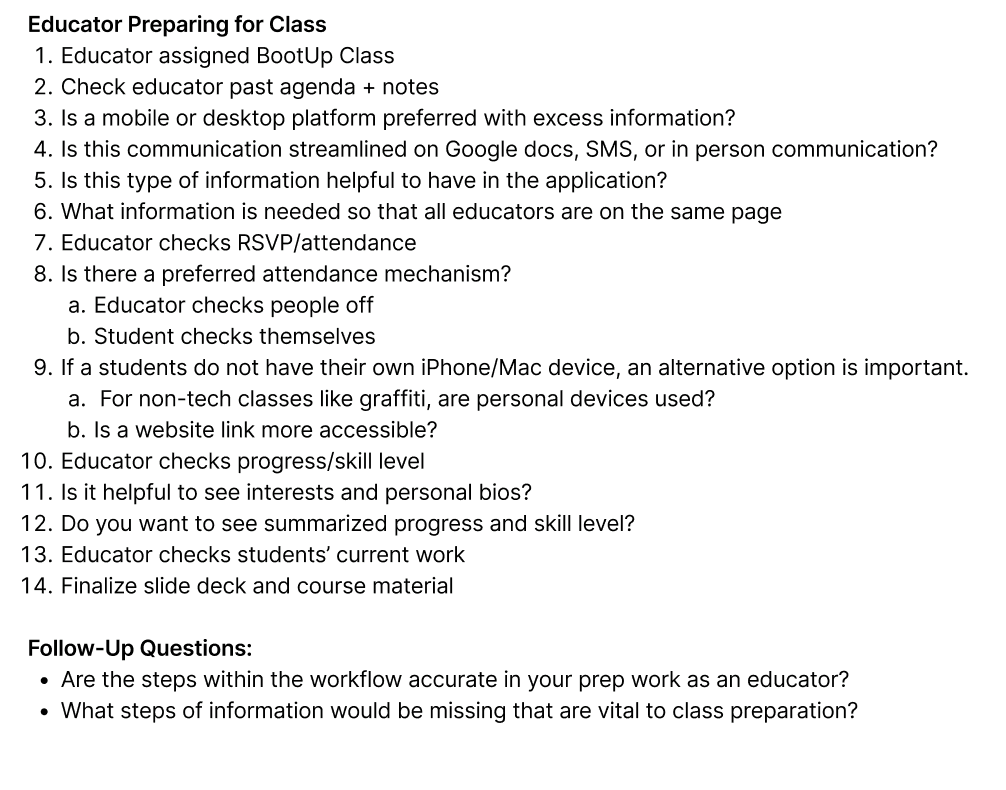
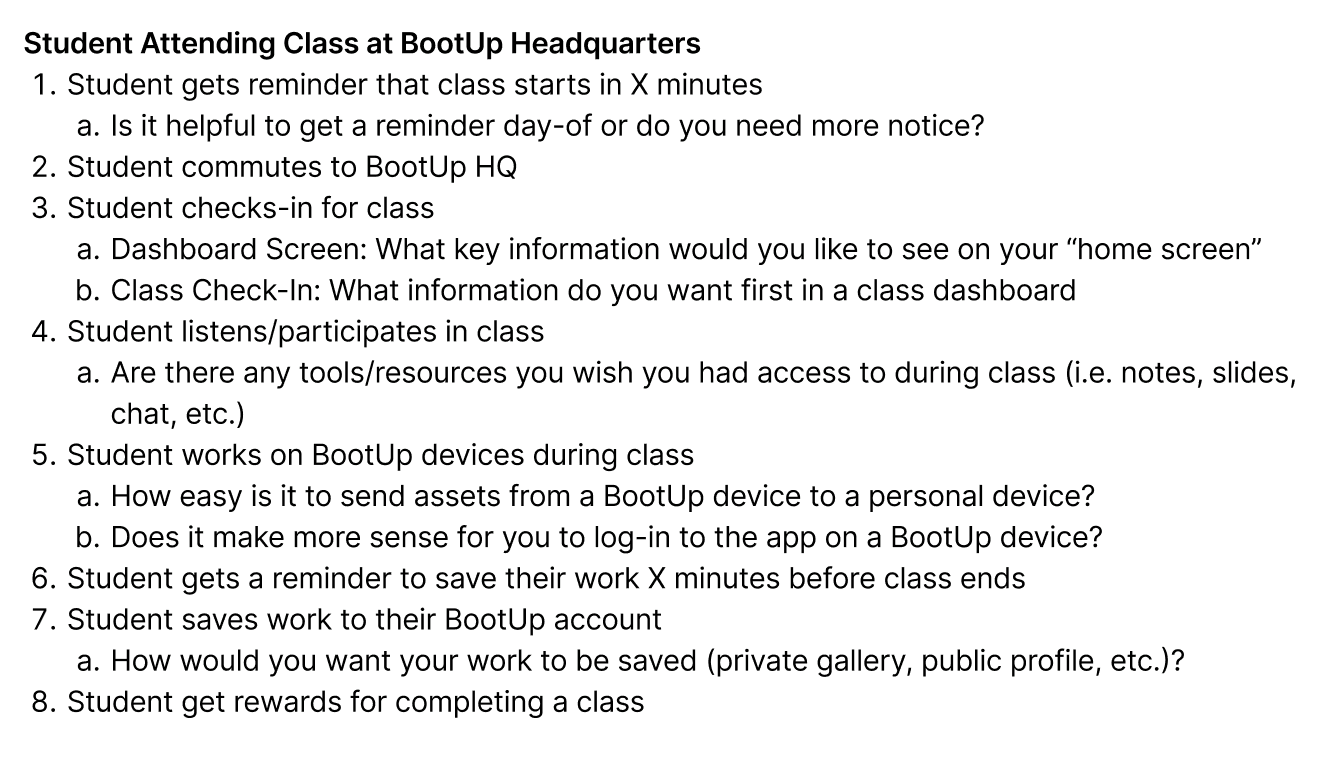
User Workflow Interviews to Design Within BootUp's Environments
As we moved into prototyping, our primary goal was to ensure that the system integrated naturally into BootUp’s highly collaborative, nontraditional learning environment. Because relationships, flexibility, and peer interaction are core to how BootUp operates, we were careful not to introduce tools that would formalize or disrupt existing practices.
Rather than designing an idealized system in isolation, we grounded design decisions in real workflows, validating assumptions at each stage with students, educators, and the client through interview protocol of possible workflows to implement.
Educators Preparing for Class
Students Preparing for Class
User Workflow Interview Protocol - Examples
Using these HMWs, the team moved into ideation using the Crazy 8’s method. For each HMW, team members rapidly generated ideas to explore the breadth of possible solutions before converging.
To make sense of the large volume of ideas, we grouped concepts into broader solution categories and evaluated them based on:
Alignment with BootUp’s values
Potential impact on educator and student needs
Feasibility within the project timeline
Through team voting and discussion, ideas were consolidated into three primary solution categories.
Using these HMWs, the team moved into ideation using the Crazy 8’s method. For each HMW, team members rapidly generated ideas to explore the breadth of possible solutions before converging.
To make sense of the large volume of ideas, we grouped concepts into broader solution categories and evaluated them based on:
Alignment with BootUp’s values
Potential impact on educator and student needs
Feasibility within the project timeline
Through team voting and discussion, ideas were consolidated into three primary solution categories.
System design
Defining User Workflows for Lo-Fi Prototyping
Once our team conducted our user workflow interview protocol, we used the gathered insights and past analysis to define the workflow needed for maximum impact for students and educators.
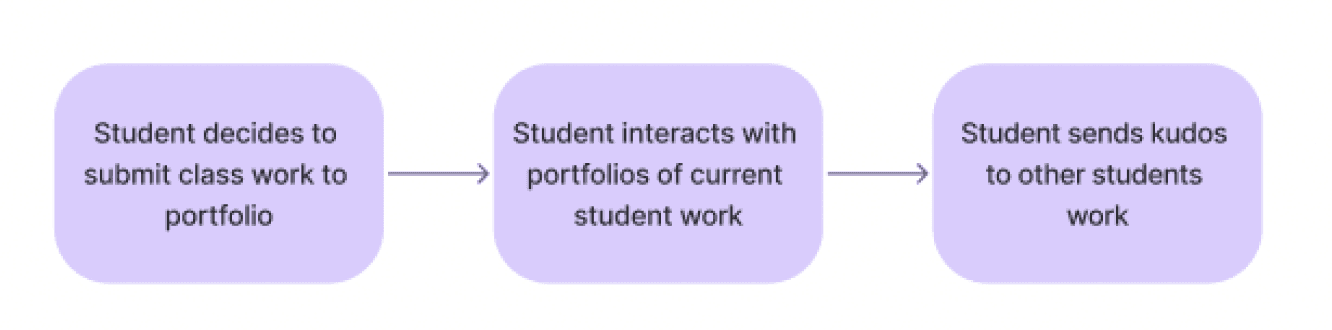
To ground the system in real behavior, we began by mapping six core user workflows, three for educators and three for students, representing ideal “to-be” scenarios based on research insights.
Educators Preparing for Class
Educators Teaching Class
Educators After Class
Students Preparing for Class
Students Learning from Home (asyncronous students)
Students After Class
These workflows helped clarify:
What information the platform must provide at each moment
Where breakdowns currently occurred
Where the system could provide the most value
We reviewed these workflows with the client to validate accuracy and refine information needs before moving into wireframing.

Using these HMWs, the team moved into ideation using the Crazy 8’s method. For each HMW, team members rapidly generated ideas to explore the breadth of possible solutions before converging.
To make sense of the large volume of ideas, we grouped concepts into broader solution categories and evaluated them based on:
Alignment with BootUp’s values
Potential impact on educator and student needs
Feasibility within the project timeline
Through team voting and discussion, ideas were consolidated into three primary solution categories.
Educator Workflows

Using these HMWs, the team moved into ideation using the Crazy 8’s method. For each HMW, team members rapidly generated ideas to explore the breadth of possible solutions before converging.
To make sense of the large volume of ideas, we grouped concepts into broader solution categories and evaluated them based on:
Alignment with BootUp’s values
Potential impact on educator and student needs
Feasibility within the project timeline
Through team voting and discussion, ideas were consolidated into three primary solution categories.

Using these HMWs, the team moved into ideation using the Crazy 8’s method. For each HMW, team members rapidly generated ideas to explore the breadth of possible solutions before converging.
To make sense of the large volume of ideas, we grouped concepts into broader solution categories and evaluated them based on:
Alignment with BootUp’s values
Potential impact on educator and student needs
Feasibility within the project timeline
Through team voting and discussion, ideas were consolidated into three primary solution categories.

Using these HMWs, the team moved into ideation using the Crazy 8’s method. For each HMW, team members rapidly generated ideas to explore the breadth of possible solutions before converging.
To make sense of the large volume of ideas, we grouped concepts into broader solution categories and evaluated them based on:
Alignment with BootUp’s values
Potential impact on educator and student needs
Feasibility within the project timeline
Through team voting and discussion, ideas were consolidated into three primary solution categories.
Student Workflows

Using these HMWs, the team moved into ideation using the Crazy 8’s method. For each HMW, team members rapidly generated ideas to explore the breadth of possible solutions before converging.
To make sense of the large volume of ideas, we grouped concepts into broader solution categories and evaluated them based on:
Alignment with BootUp’s values
Potential impact on educator and student needs
Feasibility within the project timeline
Through team voting and discussion, ideas were consolidated into three primary solution categories.
Using these HMWs, the team moved into ideation using the Crazy 8’s method. For each HMW, team members rapidly generated ideas to explore the breadth of possible solutions before converging.
To make sense of the large volume of ideas, we grouped concepts into broader solution categories and evaluated them based on:
Alignment with BootUp’s values
Potential impact on educator and student needs
Feasibility within the project timeline
Through team voting and discussion, ideas were consolidated into three primary solution categories.
Synthesis
Transition to System Design
Synthesis clarified both what needed support and what needed more exploration.
The next step was translating these opportunities into a system architecture that could scale BootUp’s community, and how these synthesized insights informed the system design and feature structure.
System Design
About BootUp
Initial Challenge
Research Synthesis
Reframed Challenge
How Might We
Solution
System design
Low-Fidelity Prototyping via Wireframes
Using the validated workflows, we created low-fidelity wireframes and paper prototypes to test information architecture, task flows, and navigation before investing in visual detail.
Testing focused on whether users could:
Find relevant information quickly
Understand how to complete core tasks
Navigate between educator and student responsibilities without confusion
We conducted think-aloud usability tests with both educators and students and followed up with a Q&A session with the client to ensure alignment with real-world expectations.
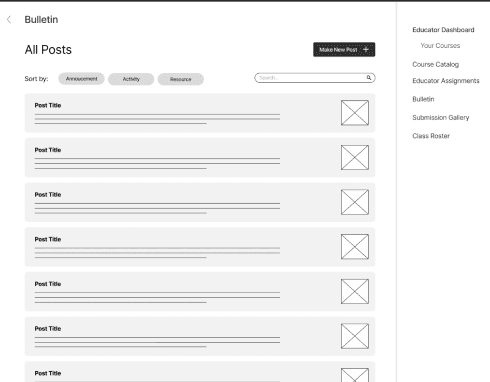
Bulletin with Community Updates
Personalized Course Agenda
Course Catalog
Educator Dashboard
Educator Calendar for Subbing Availability
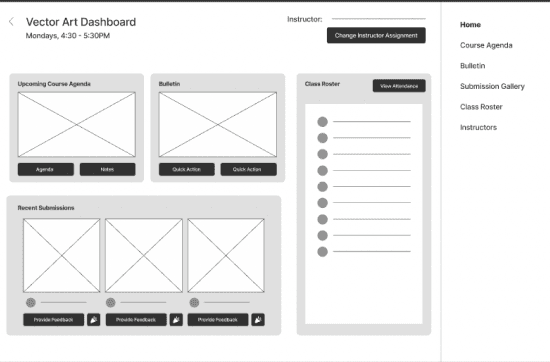
Course Dashboard - Educator View
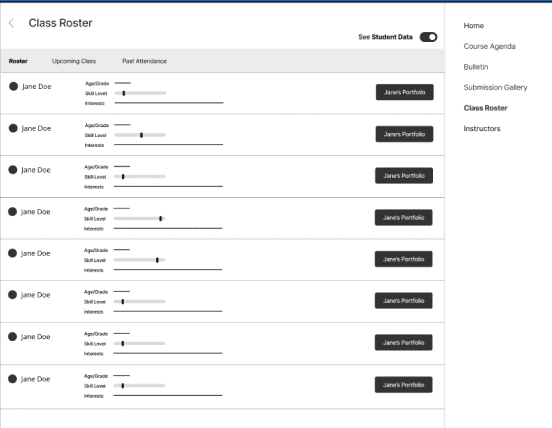
Class Roster - Educator View
Educator Dashboard
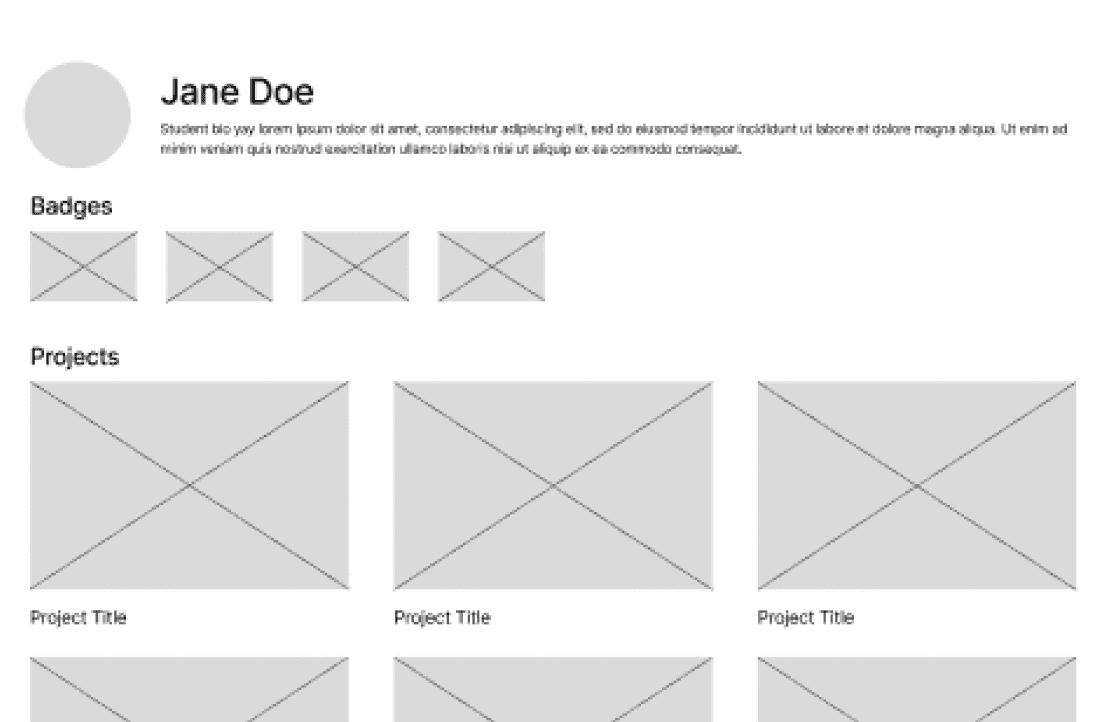
Student Profile
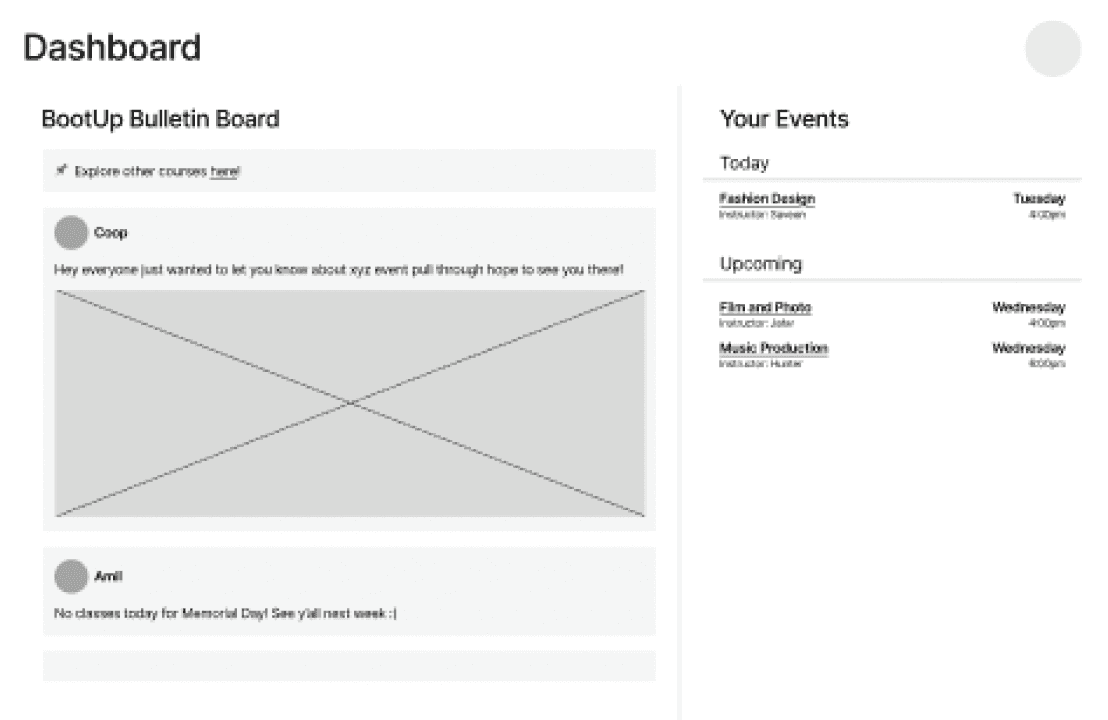
Student Dashboard
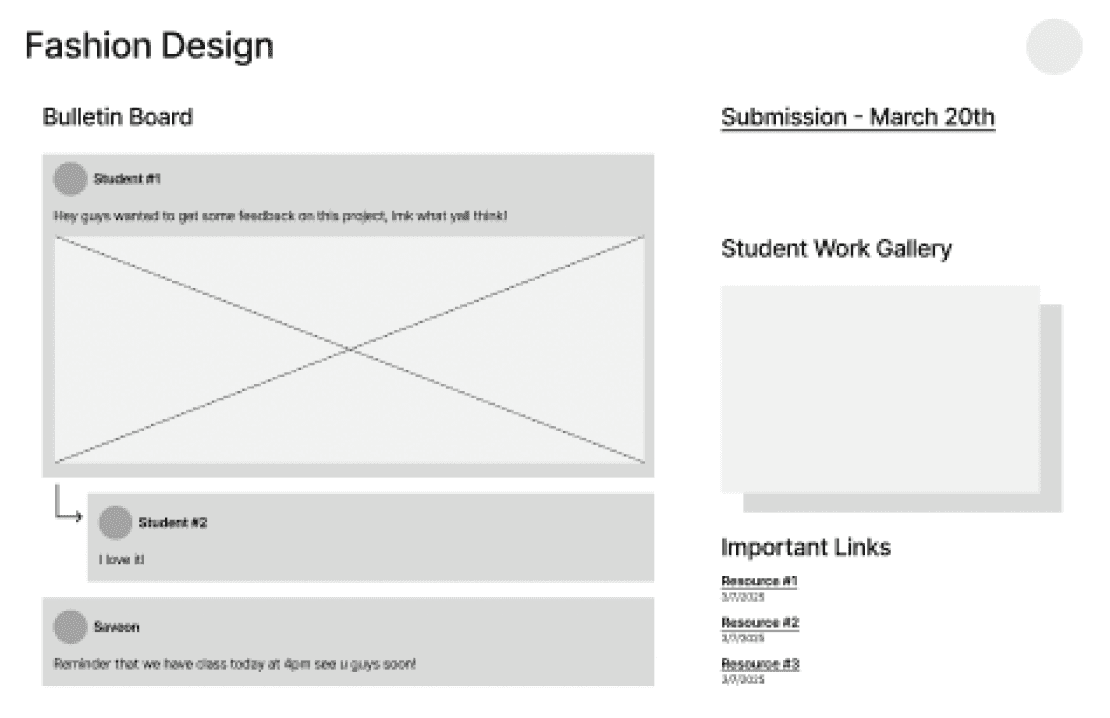
Student Course Dashboard
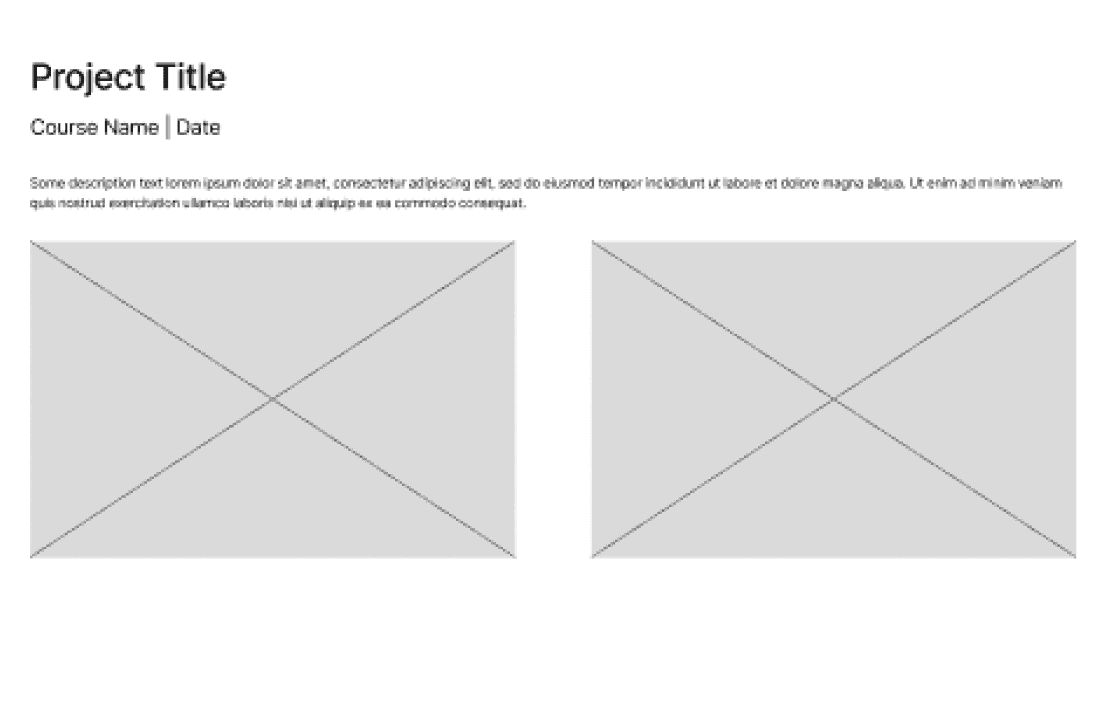
Individual Project
Students also emphasized the importance of identity and self-expression, requesting highly customizable profiles, avatars, and privacy controls for their work.
These findings made it clear that student-side interaction needed deeper iteration and that student voices needed to be more directly involved in shaping the system.
A centralized dashboard for accessing all key information
Bulletin boards that preserved BootUp’s sense of community
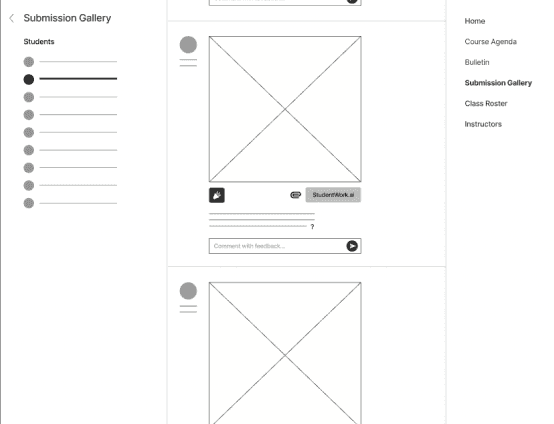
Two-way feedback tools that allowed dialogue with students
Navigation labels needed clarification
Feedback flows were visually unclear
Attendance updates needed manual overrides
Admins needed visibility into educator workload & attendance
KEY FINDINGS #1
A centralized dashboard for accessing all key information
Bulletin boards that preserved BootUp’s sense of community
Two-way feedback tools that allowed dialogue with students
Confusion around how to reply to educators
Difficulty submitting work
Unclear distinction between personal portfolios & class galleries
KEY FINDINGS #2
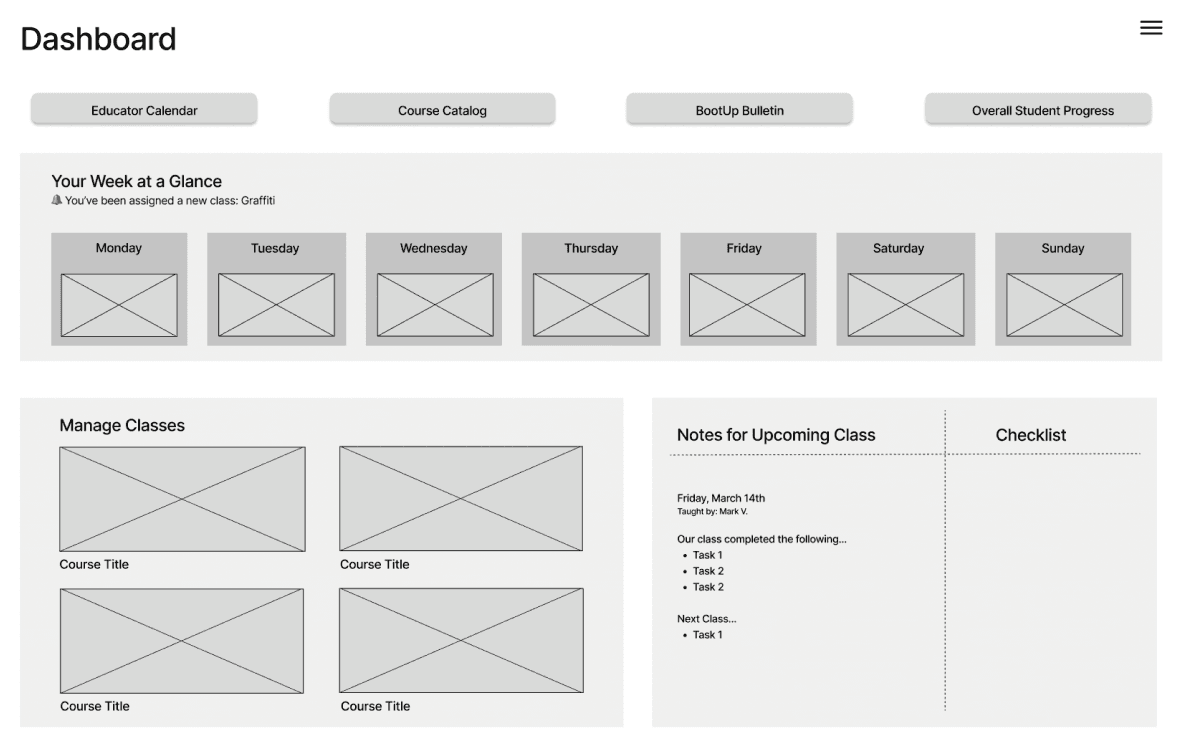
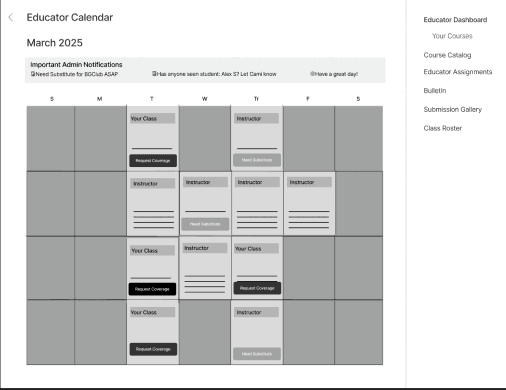
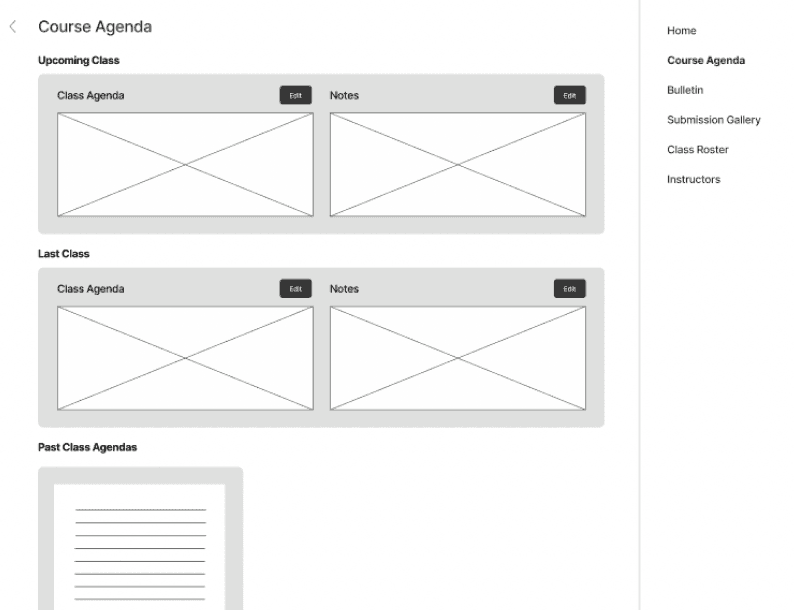
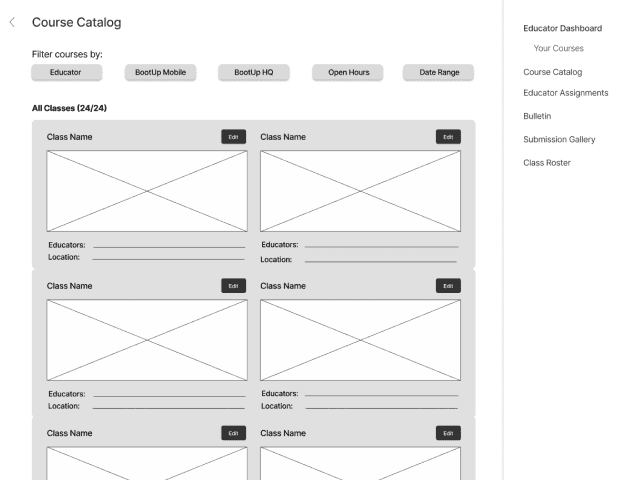
Main Views
Educator Views
Student Views
What do Educators value?
What are Educator's pain points?
Educator Insights
What do Students value?
What are Students pain points?
Student Insights
System design
Mid-Fidelity Prototyping through Co-Creation & Think-Aloud Protocol
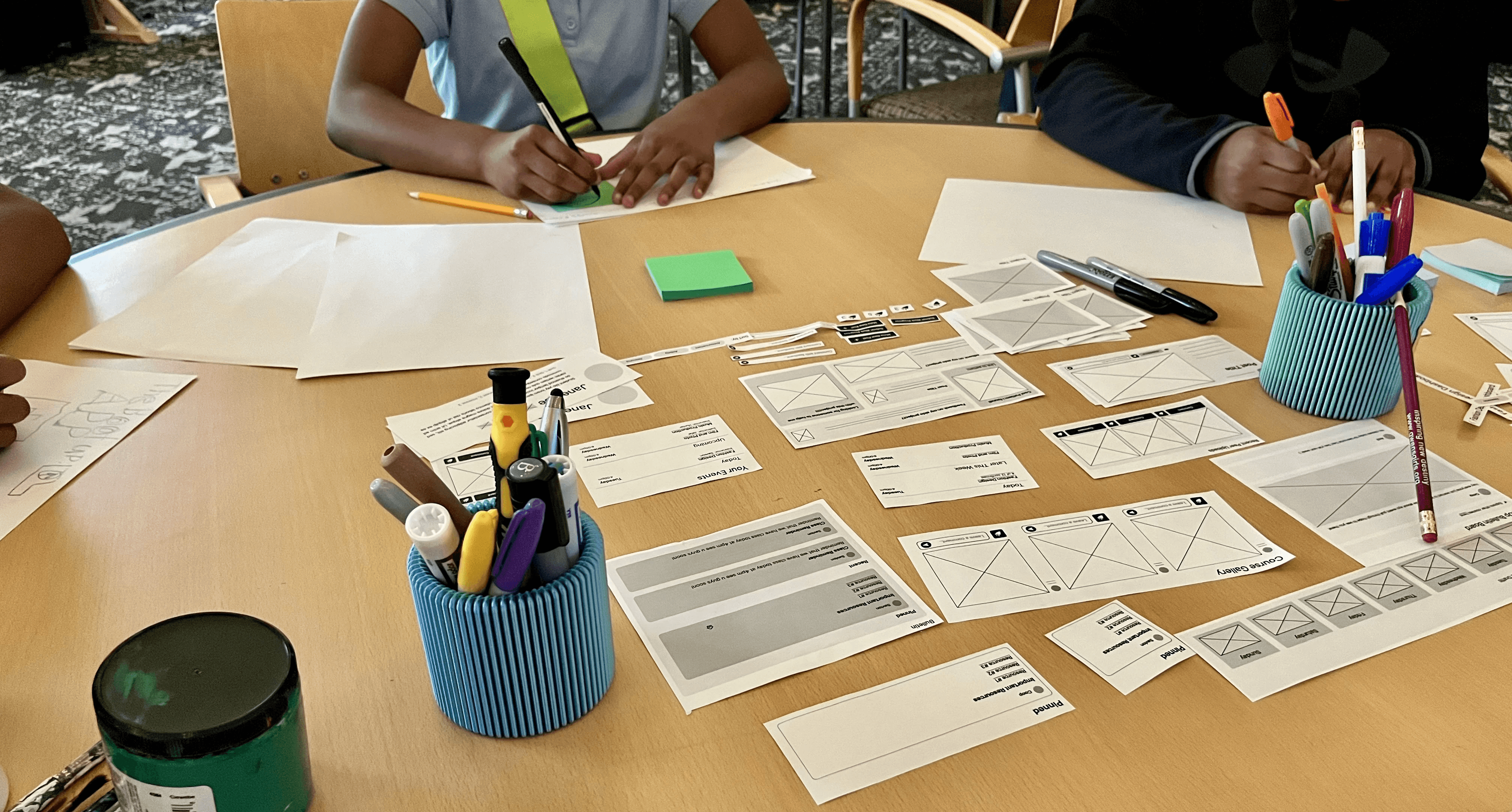
Before moving into mid-fidelity design, we conducted a co-creation session with BootUp students to directly involve them in shaping dashboards, portfolios, and peer spaces.
Students worked with paper “widgets” representing interface elements, arranging them into layouts that reflected how they wanted to interact with:
Portfolios
Course content
Peer work
Personal dashboards
Throughout the session, students verbalized their reasoning, preferences, and frustrations, giving us deeper insight into what felt motivating versus overwhelming.
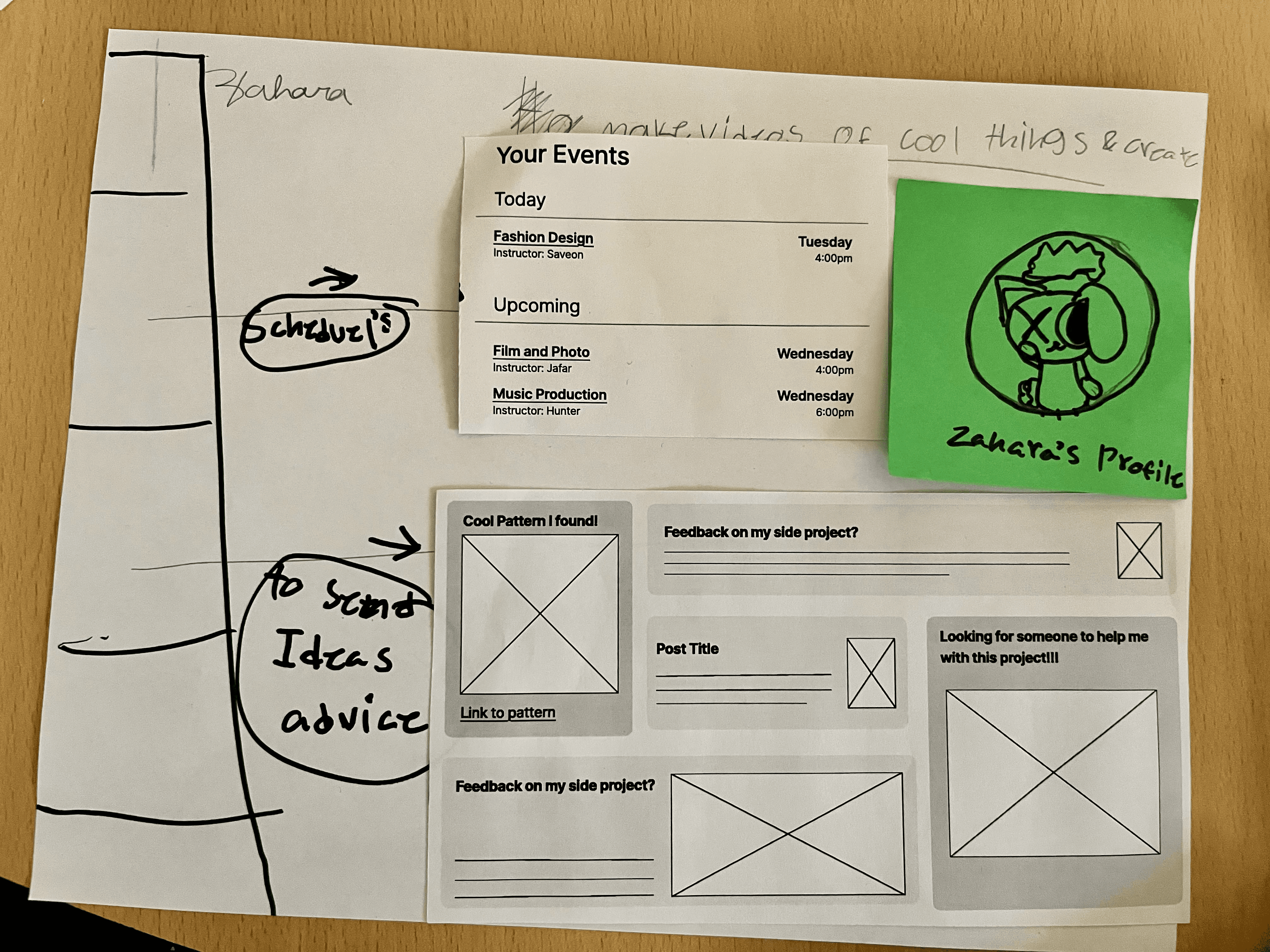
Student co-creation activity
Student-made dashboard using paper widgets
These insights aligned strongly with prior research and informed a shift toward portfolio-forward, identity-centered design.
Customization was highly valued
(profiles, privacy controls, personalization)
Recognition & peer interaction are
strong motivators
Social features needed to remain light & optional
Asynchronous access to materials was essential
KEY CO-CREATION INSIGHTS
Co-Creation Insights
System design
Iterations Based on Mid-Fi Testing
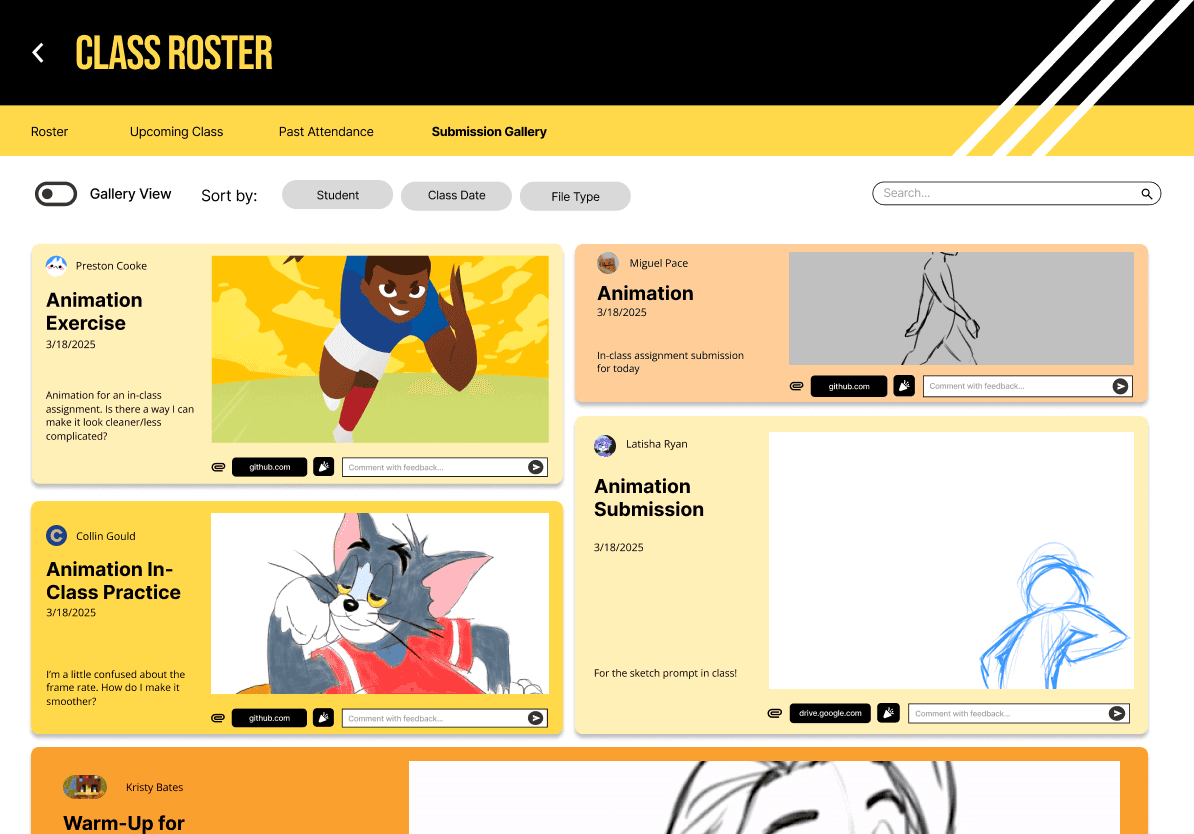
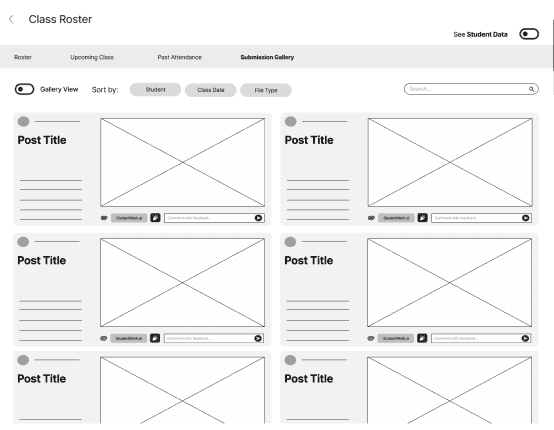
Building on co-creation insights, we revised both navigation structure and interaction design.
We then conducted a second round of think-aloud testing using the mid-fidelity prototype to evaluate:
Navigation clarity
Content prioritization
Task completion efficiency
While navigation improved significantly from lo-fi testing, remaining issues, such as unclear hierarchy and inconsistent cues, were identified and flagged for refinement during the mid-fidelity before moving to high fidelity.
KEY CHANGES INCLUDE
Consolidated multiple bulletins into a single centralized bulletin
Reduced redundancy and visual clutter
Shifted toward a fixed-grid layout for implementation feasibility
Faster access to rosters, attendance, and agendas
Clear separation between submissions, attendance, & student management
Prioritized upcoming agendas over static class descriptions
Clearer distinction between personal portfolios and class galleries
Lightweight engagement tools (likes, kudos, props)
Stronger emphasis on portfolios and skill development
Clear, persistent navigation back to the dashboard
Low-fidelity peer gallery
Mid-fidelity peer gallery
System Level Refinements
Educator Improvements
Student Improvements
System design
Iterative Evolution of Prototypes
An example of the iterative prototype evolution can be seen wtihin the Educator Course Dashboard.
Lo-Fi
Mid-Fi
Hi-Fi
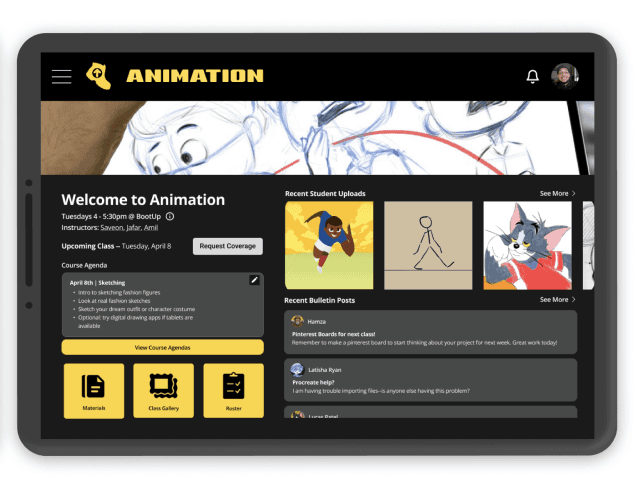
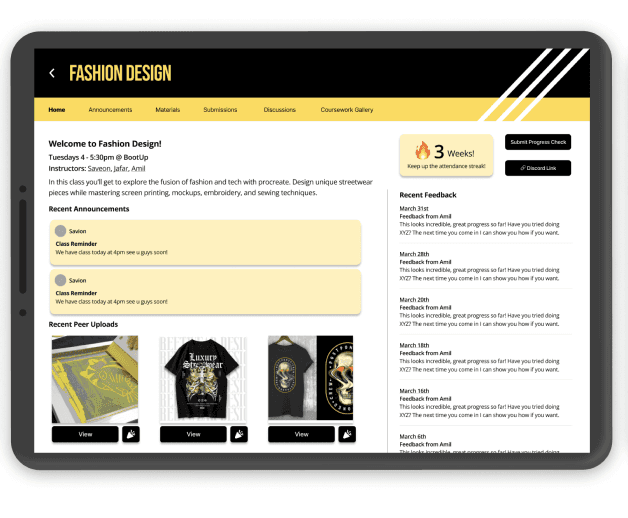
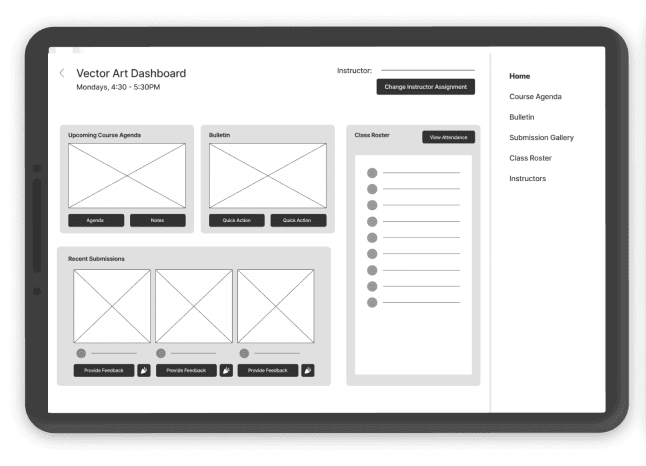
Hi-fi think-aloud testing with students and educators confirmed that the system addressed key research insights:
Portfolios supported identity and self-expression
Peer recognition reinforced community
Dashboards reduced educator cognitive load
Attendance and documentation needs were met without rigidity
Additional refinements, such as clearer labeling, back navigation, and mobile-specific screens, were incorporated based on testing and observation of students’ device usage outside of BootUp HQ.
System design
Reflection
Reflection
This project taught me what it truly means to design with a community rather than for one.
We conducted an exceptionally in-depth analysis to build a platform that would support BootUp’s growth without hindering what makes it so special, and I was fortunate to work alongside a thoughtful, collaborative team that approached the work with care.
One of my biggest learnings was the importance of adaptability and flexibility in both research and design. Educators regularly substitute for one another and rely on overwhelming WhatsApp threads to stay connected and maintain community. Designing for this reality meant embracing variability as a constant, not an exception.
What stood out most was how pivotal observation and think-aloud protocols were/are.
I was facilitating the think-aloud protocol and watched students struggle to read wireframes in real time. This unforeseen constraint required me to drastically change my approach in the moment, especially the type of questions asked and while maximizing time with the participant. Overall, it's so important to pay closer attention to behavior, as it's sometimes more telling then verbal explanation.
Because students and educators had such limited availability, our research needed to be extremely adaptive, sometimes asking a max 2 questions at a time. We often worked within 5–20 minute windows, which pushed my team and I to refine questions on the fly and focus on learning what truly mattered without disrupting their environment.
More than anything, this experience showed me how to build platforms that amplify culture and community instead of changing them, using infrastructure to support connection, creativity, and continuity rather than imposing systems on people who already know what they need.
Adaptability!!!
Observation ≥ Verbal Explanation
Working with Participants who Have Limited Time
Design that Amplifies Community
Evolved Goals & Final Outcome
Our high-fi prototype directly supports BootUp’s evolved goals.
We created centralized tools for educators, customizable portfolios for student reflection and recognition, and social features like bulletins and galleries to preserve BootUp’s community-centered spirit.
It also answers our client's initial ask of allowing students to track progress and facilitate student-educator communication, even though it focused more on addressing core issues rather than leaping into gamification.
Clear, centralized flows for attendance, rosters, feedback, badges, and scheduling class coverage
Streamlined Educator tools for managing classes & coursework
Customizable portfolios with space for projects & steps, a peer gallery for others’ work, and reactions for recognition
Support for students to document and share their work
Social features such as bulletins, shared galleries, and notes for educators to keep students engaged and safe
Preserve BootUp’s
community-centered spirit
System design
Hi-Fi Prototype
Evolved Goals
System design
Hi-Fidelity Prototype
Following mid-fi iteration, we developed a fully clickable high-fidelity prototype in Figma, scoped collaboratively with the client.
The hi-fi prototype focused on three core goals:
Supporting student progress and identity formation
Streamlining educator management and coordination
Improving communication across roles
PROTOTYPE CAPABILITIES
Create and edit project portfolios with images and process steps.
Interact with peer work via the Gallery, adding non-numerical kudos or reactions.
Confirm attendance for upcoming classes and access class materials.
Submission portal to track assignments and creative progress
Asynchronous ability to access course materials
Post to a shared bulletin board to promote collaboration.
PROTOTYPE CAPABILITIES
Viewing and managing the course roster and individual student submissions.
Taking attendance and tracking it across sessions.
Providing real-time feedback (including reactions like confetti) and awarding badges.
Handling scheduling logistics, such as requesting or accepting class coverage.
Post BootUp / Community wide updates through the Bulletin
Cross-Communication across educators for ease of subbing classes with others
Student Hi-Fi Figma Prototype & Workflow
Educator Hi-Fi Figma Prototype & Workflow
Student View Capabilities
Educator View Capabilities
Reflection
My Thoughts
Next Steps for BootUp
Our team have provided BootUp's internal development team for final platform integration & build out.
Design documentation (which includes design system guidelines and the content hierarchy)
Full access to Figma Prototypes & HTML code
Walkthrough videos to illustrate workflow & connection
With this, the app is set to scale and support both student creativity and educator insight at BootUp!
System design
Thank you for browsing :)
Interested in learning more? Please feel free to reach out on LinkedIn or my email!
Research
Approach
Literature
Review
Competitive
Analysis
Class
Observations
Student
Focus Groups
Educator
Focus Groups
Affinity Diagramming
Developing
Problem Statement
Insights into
Design Opportunities
How Might We's as Opportunity Areas
Ideation &
Narrowing
Concept Generation & Thematic Mapping
Concept Testing &
Selection
Information Architecture
Synthesis
Research